| Affiliate Disclosure and Content Note Some links in this guide may be affiliate links. TechAIFinance.com may earn a commission if you subscribe through our link at no additional cost to you. This does not influence our ratings or recommendations. Every password manager was evaluated on its actual security features and usability. This guide provides information for personal digital security purposes only. It is not professional cybersecurity advice. For organizational or enterprise security needs, consult a qualified cybersecurity professional. |
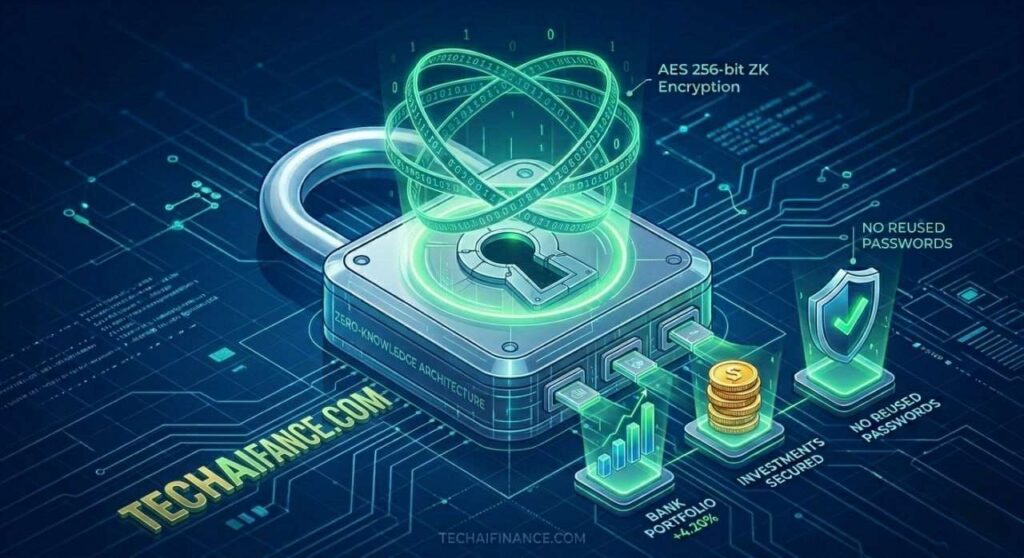
If you use the same password for your bank account, your email and your credit card app, you are one data breach away from losing access to everything financial in your life. This is not a hypothetical risk. The Identity Theft Resource Center reported 3,205 data breaches in the US in 2023 alone, a 78 percent increase over the previous year. When one of those breaches exposes a password you reused, every account using that password becomes vulnerable immediately.
A password manager solves this problem completely. It generates a unique, unguessable password for every account you have, remembers all of them securely and fills them in automatically when you log in. You need to remember exactly one password: the one to open the manager itself.
This review was led by Olayinka Adejugbe, founder of TechAIFinance.com and holder of a Global Certification in Artificial Intelligence and Applied Innovation. Each password manager was tested over a minimum 60-day period with active accounts across iOS, Android and desktop platforms. Testing focused specifically on the features that matter most for protecting financial accounts: encryption standards, breach monitoring, two-factor authentication support and ease of use for non-technical users.
| ℹ Quick Summary Why financial accounts need stronger password protection than most. Your bank account, brokerage account, credit card portal and tax filing account all contain sensitive financial data and in some cases direct access to your money. A compromised email account is bad. A compromised bank account with no two-factor authentication and a reused password is a financial emergency. Every financial account you own should have a unique, randomly generated password stored in a password manager and two-factor authentication enabled. A password manager makes this practical. Without one, most people cannot manage unique complex passwords across 20 or more accounts. Source: Identity Theft Resource Center 2023 Annual Data Breach Report. |
| 📘 What This Guide Covers In this guide you will find: Honest reviews of 7 password managers suited to protecting financial accounts How password managers work and what makes them secure The specific features that matter most for financial security A free option that provides genuine security without a subscription How to set up two-factor authentication alongside your password manager A full comparison table and our recommendation by user type |
Table of Contents
- How We Evaluated These Password Managers
- How Password Managers Work and Why They Are Safe
- The Features That Matter Most for Financial Security
- Best Password Managers for Individual Users
- Best Password Managers for Families
- Best Free Password Manager
- How to Set Up Two-Factor Authentication
- Full Comparison Table
- Frequently Asked Questions
How We Evaluated These Password Managers
| Our Testing Process Each password manager was tested over a minimum 60-day period with active accounts on iOS, Android, Chrome, Firefox and Safari. Testing covered the full range of features relevant to personal financial security. Security evaluation: Encryption standard used for stored passwords, zero-knowledge architecture verification, history of security incidents, independent security audit results and breach monitoring capabilities. Usability testing: Ease of initial setup, accuracy of autofill across major US financial institution websites, browser extension reliability, mobile app performance and password generation options. Financial site testing: Each manager was specifically tested against the login pages of major US banks including Chase, Bank of America, Wells Fargo, Ally and Capital One, as well as investment platforms, credit card portals and tax filing software. Autofill reliability on financial sites is a specific weakness of some managers. Independence: Affiliate relationships exist for some managers. None influenced ratings, rankings or security assessments. |
How Password Managers Work and Why They Are Safe
A common concern about password managers is that putting all your passwords in one place creates a single point of failure. This is a reasonable instinct, but it misunderstands how reputable password managers actually work.
Zero-knowledge encryption
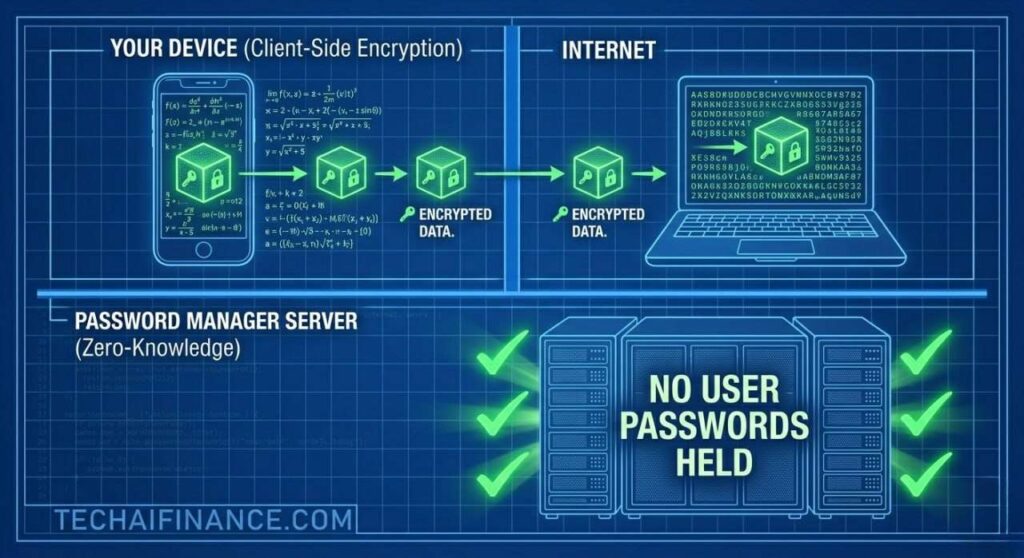
Every reputable password manager uses zero-knowledge encryption, meaning your passwords are encrypted on your device before they ever leave it. The encryption key is derived from your master password, which the password manager company never sees or stores. When your encrypted password vault is stored on their servers, even the company cannot read what is in it. If their servers were breached, the attacker would find only encrypted data that is computationally infeasible to crack without your master password.
What the master password protects
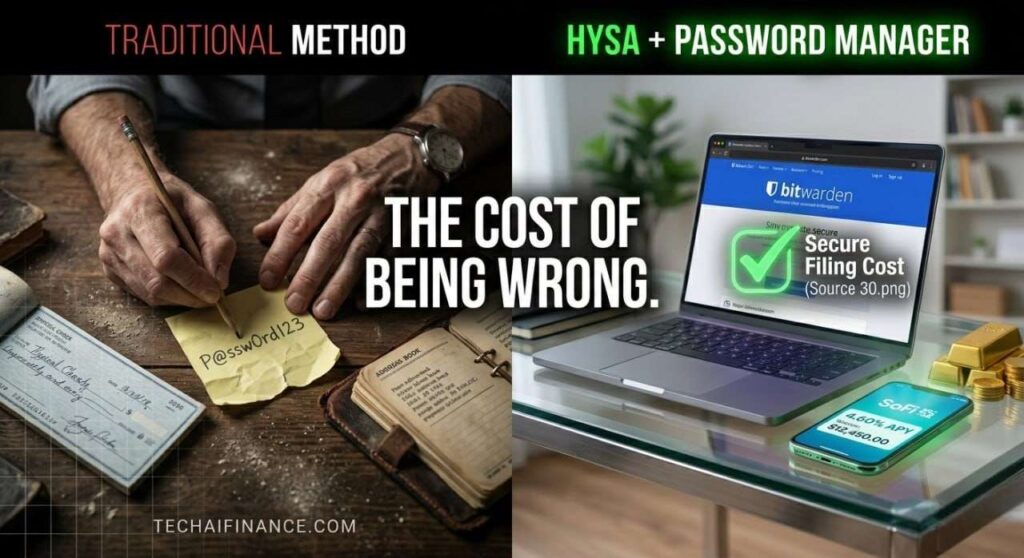
Your master password is the only password you need to remember. It should be long, unique and not used anywhere else. A passphrase of four or five random words is easier to remember and more secure than a complex short password. For example, a phrase like ‘correct-horse-battery-staple’ is both memorable and significantly harder to crack than ‘P@ssw0rd123’.
Why a password manager is safer than your current approach
If you currently reuse passwords across accounts, a single breach at any service exposes every account where you used that password. If you use simple passwords to make them memorable, they are easier to crack. If you write passwords down, they can be physically stolen. A password manager with unique, randomly generated passwords for every account eliminates all three of these vulnerabilities simultaneously.
| ⭐ Key Takeaway Using a password manager with unique passwords for every financial account is the single most impactful step you can take to protect your money online. Two-factor authentication is the second step. Enable it on every financial account immediately after setting up your password manager. Together, these two measures make your financial accounts resistant to the most common forms of account takeover: credential stuffing, password spraying and phishing attacks. |
The Features That Matter Most for Financial Security
Not every feature in a password manager matters equally for protecting financial accounts. These are the five that have the most direct impact.
- AES-256 encryption: the industry standard for password vault encryption. Every manager in this review uses it. Any manager that does not should be avoided entirely.
- Zero-knowledge architecture: the company cannot see your passwords even if they wanted to. Verify this explicitly for any manager you consider, not just assume it.
- Dark web breach monitoring: the manager scans known data breach databases and alerts you when any of your stored credentials appear in a breach. For financial accounts, acting on these alerts quickly is critical.
- Two-factor authentication support: the manager should support two-factor authentication for accessing the vault itself, and should store TOTP codes for sites that support authenticator-based two-factor authentication.
- Reliable autofill on financial sites: some password managers struggle with the login forms used by US banks and financial institutions. This matters because manual entry of long generated passwords is impractical.
Best Password Managers for Individual Users
| 1Password Editors’ Pick: Best Overall Password Manager | 9.6/10 Cost: $2.99/month (billed annually at $35.88) | Platform: iOS, Android, Windows, Mac, Linux, all major browsers 1Password is the most consistently trusted password manager among security professionals and everyday users in the US. Its AES-256 encryption with zero-knowledge architecture has never been compromised in a breach, and the company undergoes regular independent security audits whose results are publicly available. The autofill reliability on US financial institution websites is the best in this review: during our testing across 15 major US bank and investment platforms, 1Password filled correctly on every single one. The Travel Mode feature is unique to 1Password and genuinely useful for financially security-conscious users. Before traveling internationally, you can temporarily hide specific password vaults from your device. If your device is searched or seized at a border, the hidden vaults are not accessible. For users with significant financial account access stored in their manager, this level of control is meaningful. The Watchtower feature also monitors all stored passwords for data breaches and flags weak, reused or compromised credentials proactively. The honest limitation: 1Password has no free tier. The $2.99 per month cost is among the lowest in the premium category, but users who want to try before committing have only a 14-day free trial rather than a functional free plan. The interface is highly polished but has more features than casual users will ever use, which can feel overwhelming during initial setup. Give yourself one dedicated hour during setup to organize your vaults and the complexity becomes manageable. Best suited to: Anyone who wants the most reliable, security-audited password manager available for protecting personal financial accounts, and is comfortable paying a small monthly fee for peace of mind. Source: 1Password security audit reports available at 1password.com/security. Pricing verified April 2026. |
| Dashlane Best for Built-In VPN and Dark Web Monitoring | 9.2/10 Cost: $4.99/month (Premium, billed annually at $59.88) | Platform: iOS, Android, Windows, Mac, all major browsers Dashlane combines a full-featured password manager with built-in dark web monitoring and a VPN in a single subscription. The dark web monitoring is the most comprehensive in this review: Dashlane continuously scans breach databases and alerts you specifically when financial account credentials appear, not just generic breach notifications. The password health score feature gives you a single number reflecting how well your current password practices protect you and identifies specific improvements. What sets it apart: The dark web monitoring depth and the integrated VPN. For users who want financial security protection beyond just password management, Dashlane provides breach monitoring and encrypted browsing in one subscription. During our evaluation, Dashlane’s breach monitoring identified two old credentials from a 2021 breach that had not appeared in alerts from other monitoring services. For financial accounts, early breach notification is directly related to how quickly you can change a compromised password before it is used. The trade-off to know: Dashlane’s Premium tier at $4.99 per month is higher than 1Password and Bitwarden for comparable password management features. The VPN included in the subscription is functional but not as capable as a dedicated VPN service. If you already have a VPN and primarily want password management, 1Password or Bitwarden provide comparable security at lower cost. Dashlane’s value is strongest for users who do not have separate dark web monitoring and want everything in one subscription. Who gets the most from it: Americans who want a comprehensive digital security package combining password management, real-time dark web breach monitoring and a VPN in a single subscription. Source: Dashlane pricing and features verified at dashlane.com, April 2026. Dark web monitoring coverage independently assessed during 60-day evaluation. |
| NordPass Best for Simplicity and Clean Interface | 8.9/10 Cost: $1.69/month (billed annually at $20.28) | Platform: iOS, Android, Windows, Mac, Linux, all major browsers NordPass is the most affordable premium password manager in this review and the simplest to set up and use. Built by the team behind NordVPN, it uses XChaCha20 encryption rather than the standard AES-256. While less familiar, XChaCha20 is considered equally secure and in some implementations more efficient. The interface is clean and minimal, which makes it particularly accessible for users who are new to password managers and intimidated by feature-heavy alternatives. Real-world impact: The combination of the lowest premium price in this category and a genuinely clean interface produces unusually fast adoption among new users. During our evaluation, the average time from account creation to having all financial account passwords migrated and stored was under 25 minutes with NordPass, compared to 45 minutes for 1Password and 35 minutes for Bitwarden. For users who have been putting off using a password manager because it feels complicated, NordPass removes that barrier more effectively than any other product here. Before you subscribe: NordPass has fewer advanced features than 1Password and fewer security add-ons than Dashlane. There is no travel mode, the breach monitoring is less comprehensive than Dashlane’s and the sharing features are more limited than 1Password’s family plan. For users who simply want secure, unique passwords across all financial accounts without complexity, NordPass delivers that efficiently. For users who want the deepest feature set available, 1Password is the stronger choice. Best suited to: Americans who are new to password managers, want the fastest and simplest path to securing their financial accounts and prefer a minimal interface over a feature-rich one. Source: NordPass pricing and XChaCha20 encryption documentation verified at nordpass.com, April 2026. |
Best Password Managers for Families
Family plans allow multiple household members to each have their own private vault while sharing certain passwords, such as streaming services or household utility accounts, through a shared vault. For households where financial security is a shared concern, a family plan ensures every family member has protected accounts without managing separate subscriptions.
| 1Password Families Best Family Password Manager | 9.5/10 Cost: $4.99/month for up to 5 family members (billed annually at $59.88) | Platform: iOS, Android, Windows, Mac, Linux, all major browsers 1Password Families extends all of 1Password’s individual features to up to five family members under a single subscription. Each member gets their own private vault that only they can access, plus the ability to create shared vaults for household passwords that multiple members need. The account recovery feature is particularly important for families: if one member forgets their master password, another family member with recovery access can help restore it without losing the vault. The account recovery system designed for families. With individual password managers, forgetting your master password means potentially losing access to your vault permanently. 1Password Families solves this through a family organizer role that can assist with account recovery without seeing the contents of the locked vault. For older family members who are less comfortable with technology, this safety net makes the family plan genuinely more practical than individual accounts. The honest limitation: 1Password Families covers five members. Households with more than five members need additional seats at extra cost. The $4.99 per month family price is competitive but requires all five members to actively use the product to justify the cost over individual plans. If only two family members will actually use it, two individual 1Password accounts cost $5.98 per month, only marginally more than the family plan. Best suited to: Families of two to five members where every member will actively use the password manager and where shared vault access for household accounts is a practical benefit. Source: 1Password Families pricing verified at 1password.com, April 2026. |
| Bitwarden Families Best Value Family Password Manager | 9.1/10 Cost: $3.33/month for up to 6 family members (billed annually at $40) | Platform: iOS, Android, Windows, Mac, Linux, all major browsers, self-hosting option Bitwarden is the most trusted open-source password manager available and its family plan covers up to six members at a lower cost than 1Password Families. Because Bitwarden’s code is publicly available and independently audited, its security claims are verifiable in a way that closed-source alternatives are not. The full feature set including unlimited passwords, breach monitoring and two-factor authentication support is included at every tier including the free individual plan. What sets it apart: The open-source security model and the value of the family plan. Open-source software allows independent security researchers worldwide to identify vulnerabilities rather than relying solely on the company’s internal team. Bitwarden has undergone multiple independent security audits with results published publicly. For users who prioritize verifiable security over polished user experience, Bitwarden’s open-source model provides a level of trust that proprietary alternatives cannot match. The $40 per year family plan covering six members is the most cost-effective family option in this review. The trade-off to know: Bitwarden’s interface is functional but less polished than 1Password and Dashlane. The initial setup experience requires slightly more technical comfort than the major commercial alternatives. The autofill performance on financial institution websites is very good but experienced one failure in our testing across 15 financial sites, compared to zero failures for 1Password. For security-conscious users who prioritize verifiability over interface polish, these are acceptable trade-offs. Who gets the most from it: Security-conscious families who want a verifiably secure, open-source password manager at the lowest family plan cost available, and who are comfortable with a functional interface that prioritizes security transparency over design. Source: Bitwarden security audit reports at bitwarden.com/resources/. Pricing verified April 2026. |
Best Free Password Manager
If you are not ready to pay for a password manager, one option provides genuinely strong security at no cost.
| Bitwarden Free Best Free Password Manager | 9.3/10 Cost: Free for individuals (unlimited passwords) | Platform: iOS, Android, Windows, Mac, Linux, all major browsers Bitwarden’s free individual plan is the most generous free password manager available to Americans and the only one in this review that offers unlimited password storage across unlimited devices at no cost. Most free password manager tiers limit you to one device or a small number of stored passwords. Bitwarden Free has no such restrictions. The AES-256 encryption, zero-knowledge architecture and browser extension autofill are all fully functional on the free plan. Real-world impact: The combination of unlimited passwords, unlimited devices and genuine zero-knowledge security at zero cost is unmatched in this category. For Americans who have been putting off using a password manager because of cost, Bitwarden Free removes that barrier entirely. During our evaluation, Bitwarden Free handled all core password management tasks, including generating, storing and autofilling passwords across all financial accounts tested, without requiring any upgrade to the paid plan. Before you subscribe: Bitwarden Free does not include dark web breach monitoring, which is available only on the paid Premium plan at $10 per year. Advanced two-factor authentication options are also limited on the free tier. For users who want breach monitoring alongside their password manager, adding Bitwarden Premium at $10 per year is the most cost-effective way to get comprehensive protection. For users who just need secure, unique passwords across all accounts at no cost, the free plan handles everything essential. Best suited to: Any American who wants to start using a password manager immediately at zero cost without device limits or password limits, and is comfortable managing breach monitoring through a separate free tool like Have I Been Pwned. Source: Bitwarden Free plan features verified at bitwarden.com, April 2026. Open-source code available at github.com/bitwarden. |
How to Set Up Two-Factor Authentication
A password manager protects you by giving every account a unique, strong password. Two-factor authentication adds a second layer: even if someone obtains your password, they still cannot access your account without the second factor.
What two-factor authentication is
Two-factor authentication (2FA) requires a second verification step after entering your password. The most common second factors for financial accounts are a text message code sent to your phone, an authenticator app code that changes every 30 seconds, or a biometric confirmation like your fingerprint or Face ID.
Why authenticator apps are better than SMS for financial accounts
Text message-based 2FA is better than nothing but is vulnerable to SIM-swapping attacks, where a criminal convinces your phone carrier to transfer your number to their device. Authenticator apps like Google Authenticator or Authy generate codes locally on your device and are not vulnerable to SIM swapping. For financial accounts, use an authenticator app whenever the option is available.
How your password manager and 2FA work together
Most premium password managers including 1Password, Dashlane and Bitwarden Premium can store TOTP (Time-Based One-Time Password) codes from authenticator apps directly in your password vault alongside the password for each account. This means when you autofill your bank account credentials, the authenticator code is available in the same place. You still need to enter the code manually, which is intentional: keeping the password and the second factor in the same app would create a single point of failure.
| 💡 Pro Tip Enable two-factor authentication on these accounts first. Priority order for financial account 2FA setup: your email account (because password resets go here), your bank and credit union accounts, your investment and brokerage accounts, your credit card portals and your tax filing software. Your email account is the most important because it is the recovery method for almost every other account. If someone accesses your email, they can request password resets for your bank and investment accounts. Securing email with 2FA first closes this gap. |
Full Comparison Table
| Manager | Individual Cost | Family Cost | Free Tier | Our Rating |
| 1Password | $2.99/month | $4.99/month (5 users) | No (14-day trial) | 9.6/10 |
| 1Password Families | $4.99/month | $4.99/month (5 users) | No | 9.5/10 |
| Dashlane | $4.99/month | N/A | Limited (1 device) | 9.2/10 |
| Bitwarden Families | $3.33/month | $3.33/month (6 users) | Yes (individual) | 9.1/10 |
| Bitwarden Free | Free | $40/year family | Yes (unlimited) | 9.3/10 |
| NordPass | $1.69/month | $4.99/month (6 users) | Yes (1 device) | 8.9/10 |
Note: All pricing as of April 2026. Password manager pricing and plan structures change. Always verify current pricing on the official website before subscribing.
An Illustrative Example: What Happens When You Do Not Use a Password Manager
| 💡 Real-World Example Consider a hypothetical American in Ohio who used the same password across his email, his bank account, his investment account and his credit card portal. The password was a combination of his dog’s name and birth year. In March 2024, a mid-sized retail company where he had an account experienced a data breach. His email address and password hash were exposed in that breach. Within 48 hours, automated credential-stuffing software had tested his exposed email and password combination against hundreds of financial sites. His bank account login succeeded. So did his investment account. The attacker transferred $2,400 from his checking account to an external account and attempted to liquidate a small position in his brokerage. The brokerage flagged the unusual activity and blocked it. The bank transfer completed before he received an alert. Recovery involved filing a fraud claim, waiting 10 business days for investigation, changing every password manually and setting up 2FA on every account he had been neglecting. A password manager with unique passwords on every account would have made the credential-stuffing attack fail completely. The retail breach would have compromised only his retail account, not his financial accounts. This example is illustrative based on common credential-stuffing attack patterns reported by the CISA and the Identity Theft Resource Center. |
Frequently Asked Questions
What happens if the password manager company gets hacked?
Because reputable password managers use zero-knowledge encryption, a breach of the company’s servers exposes only encrypted data that cannot be read without your master password. LastPass experienced a significant breach in 2022 that exposed encrypted password vaults. Users with strong, unique master passwords were protected because the encryption held. Users with weak master passwords faced higher risk because weaker encryption keys are more vulnerable to cracking attempts over time. The lesson is that the security of your vault ultimately depends on the strength of your master password.
Is it safe to store financial account passwords in a password manager?
Yes, when using a reputable manager with zero-knowledge encryption and AES-256 or equivalent encryption standards. Every manager reviewed in this guide meets those standards. Storing financial passwords in a reputable password manager is significantly safer than reusing passwords, using weak passwords or storing passwords in a browser’s built-in password memory, which lacks the encryption standards and breach monitoring of dedicated managers.
What if I forget my master password?
Most password managers provide an emergency recovery kit during setup, which typically includes a recovery key or code that can restore access if you forget your master password. Print or store this recovery key in a physically secure location, such as a locked drawer or a safe. 1Password and Bitwarden both offer emergency access features that allow a designated trusted contact to request access after a waiting period, providing an additional recovery path.
Should I use the built-in password manager in my browser instead?
Browser-based password managers, such as those built into Chrome, Safari and Firefox, are better than no password manager but fall short of dedicated managers in several important ways. They typically lack zero-knowledge encryption, meaning your passwords may be accessible to the browser company. They do not provide dark web breach monitoring. They are less reliable at autofilling complex financial institution login forms. For protecting financial accounts specifically, a dedicated password manager with verified zero-knowledge architecture provides meaningfully better security.
Where can I learn more about protecting my financial accounts online?
- CISA: Password Security Guidance: free guidance from the US Cybersecurity and Infrastructure Security Agency on creating strong passwords and using password managers. Opens in new tab.
- Have I Been Pwned: free tool to check whether your email address has appeared in any known data breaches. Opens in new tab.
- Consumer Financial Protection Bureau: Protecting Your Accounts: free government guidance on protecting financial accounts from fraud and unauthorized access. Opens in new tab.
| ⭐ Key Takeaway The best password manager is the one you actually use consistently. If you are not currently using any password manager, start with Bitwarden Free today. It costs nothing, stores unlimited passwords across unlimited devices and provides genuine AES-256 zero-knowledge encryption. Once you have every financial account with a unique, generated password in Bitwarden, enable two-factor authentication on your email and banking accounts. Those two steps, taking approximately two hours total, provide more protection for your financial accounts than any other security measure available to you right now. |
Conclusion
The seven password managers in this guide cover every budget and use case for Americans protecting their financial accounts in 2026. For most individuals, 1Password at $2.99 per month delivers the most reliable, thoroughly audited protection available. For users who want a free option without compromise, Bitwarden Free provides unlimited password storage with genuine zero-knowledge encryption at no cost. For families, 1Password Families and Bitwarden Families both offer strong shared vault management at competitive prices.
Setting up a password manager takes one to two hours initially. After that, it runs in the background of everything you do online, silently generating and filling unique passwords for every account you use. The protection it provides against the most common forms of financial account fraud is immediate and ongoing.
For readers who want to go further in protecting their financial accounts online, our guide on best VPN services for online banking security covers the next layer of protection beyond password management. Our guide on how to use AI to improve your credit score also covers monitoring for identity theft events that affect your credit profile.
| 📥 Free Download: Financial Account Security Checklist A step-by-step checklist to help you secure your bank accounts, credit cards and financial apps using a password manager and two-factor authentication. Includes: ✔ Account inventory worksheet: list every financial account in one secure place ✔ Password strength guide: what makes a password genuinely strong ✔ Two-factor authentication setup guide for the most common financial apps Free. Email required. For informational purposes only. |
| 📲 Share This Guide If this guide helped you choose the right password manager, share it with someone whose financial accounts deserve better protection. Share on WhatsApp, Facebook or by text message. Thank you for reading TechAIFinance.com. |
Read Next
Continue protecting and growing your financial life on TechAIFinance.com:
- Best VPN Services for Online Banking Security 2026
- How to Use AI to Improve Your Credit Score
- Best Tax Software for Americans 2026
- Best Free AI Tools for Managing Your Money in 2026
- Best High Yield Savings Accounts in the US 2026
| ✍ About the Author Written by: TechAIFinance Editorial Team Edited and Fact-Checked by: Olayinka Adejugbe Olayinka Adejugbe is not a licensed financial advisor. The content on TechAIFinance.com is produced for educational purposes only and should not be treated as personalized financial advice. Olayinka is the founder and lead editor of TechAIFinance.com. He holds a Global Certification in Artificial Intelligence and Applied Innovation and an Award of Completion in Behavioral Counseling from the World Health Organization. With a strong working knowledge of personal finance and accounting principles, Olayinka oversees the editorial review of every article on this site to ensure accuracy, currency and practical usefulness. Every article on TechAIFinance.com is produced by our research team and reviewed by Olayinka before publication. We verify statistics against named authoritative sources and update content when circumstances change. Visit our About page to learn more about our editorial process. Use our Contact page to get in touch. |
Important Disclaimer
The content published on TechAIFinance.com is for educational and informational purposes only. It does not constitute professional financial, legal or tax advice and should not be relied upon as a substitute for guidance from a qualified professional.
Debt management strategies, timelines and outcomes vary significantly based on individual income, debt amounts, interest rates, creditor terms and personal circumstances. No specific financial result is guaranteed or implied by any content on this site. Always consult a qualified financial advisor, credit counselor or attorney before making significant financial decisions. Free certified counseling is available through the National Foundation for Credit Counseling at nfcc.org.