| Affiliate Disclosure and Pricing Note Some links in this guide may be affiliate links. TechAIFinance.com may earn a commission if you purchase through our link at no additional cost to you. This does not influence our ratings or which laptops are included. Every laptop was evaluated on its actual performance and value. Laptop prices fluctuate frequently due to sales and inventory changes. All prices listed reflect verified retail pricing in April 2026. Always check the current price before purchasing. |

Buying a laptop as a student is one of the most important purchases you will make in college, and getting it wrong is expensive. The wrong laptop either does not have enough power for your coursework, runs out of battery during a three-hour class or falls apart after one semester of daily use. The right one gets you through four years without a crisis.
The good news is that you do not need to spend $1,000 to get a reliable, capable laptop for college in 2026. The under-$500 category has improved significantly over the past three years. Processors are faster, batteries last longer and build quality at the budget end is meaningfully better than it was even two years ago.
The bad news is that the budget laptop market is also full of attractive-looking options that underperform badly in real use. Low RAM, slow storage and poor display quality are common ways manufacturers hit a low price point while hiding what they cut.
This review was put together by the TechAIFinance editorial team with a specific focus on value for money for US students managing tight budgets. We evaluated eight laptops across two price tiers: under $350 and $350 to $500. Every recommendation reflects what we would actually suggest to a student buying their own device with limited funds.
| ℹ Quick Summary For most students, the minimum specs that hold up through four years of college are: Processor: Intel Core i5 or AMD Ryzen 5 (or Apple M-series for Mac users) RAM: 8GB minimum, 16GB preferred for any science, engineering or design work Storage: 256GB SSD minimum. Avoid any laptop with only an HDD in 2026 Battery life: 8 hours real-world minimum. Rated battery life is always higher than actual Display: 1080p (Full HD) minimum. 1366×768 resolution will frustrate you within weeks Any laptop that falls below these minimums will slow you down within 12 to 18 months. |
| 📘 What This Guide Covers In this guide you will find: Honest reviews of 8 budget laptops for students priced under $500 Minimum spec recommendations by college major and use case A clear explanation of what each laptop handles well and where it falls short Windows versus Chromebook versus Mac: which makes sense at the budget level Tips for saving money without sacrificing the specs that matter A full comparison table and our pick by student type |
Table of Contents
- How We Evaluated These Laptops
- Minimum Specs by College Major
- Windows vs Chromebook vs Mac: The Budget Decision
- Best Budget Laptops Under $350
- Best Budget Laptops $350 to $500
- Tips for Saving Money Without Sacrificing Quality
- Full Comparison Table
- Frequently Asked Questions
How We Evaluated These Laptops
| Our Review Process Each laptop in this guide was evaluated across six dimensions: processor performance on academic workloads, real-world battery life under mixed use, build quality and portability, display quality for extended reading and writing, keyboard and trackpad usability and value relative to price. Testing scenarios: Laptops were tested across typical student workflows: writing papers in Google Docs and Microsoft Word, browsing with 10 to 15 open tabs, video calls on Zoom, streaming lectures and light spreadsheet work in Excel. For laptops marketed toward STEM students, we also tested performance in Python, basic data processing and browser-based coding environments. Battery life testing: We measure real-world battery life under mixed use rather than manufacturer-rated battery life. Manufacturer figures are measured under ideal conditions. Real-world figures reflect typical student use with screen at 60 to 70 percent brightness and Wi-Fi active. Pricing: All prices were verified at Amazon, Best Buy and Walmart in April 2026. Budget laptop pricing is volatile. Always check the current price before purchasing. Independence: Affiliate relationships exist for some laptops in this review. None influenced which laptops were included or how they were rated. |
Minimum Specs by College Major
Not every student needs the same laptop. A business or English major has very different computing demands than a computer science or graphic design student. Here is a practical guide to what you actually need based on your field of study.
| Your Major | Minimum RAM | Minimum Storage | Key Priority |
| Business, Communications, Liberal Arts | 8GB | 256GB SSD | Battery life and portability |
| Education, Social Sciences, Nursing | 8GB | 256GB SSD | Reliability and keyboard quality |
| Computer Science, Data Science | 16GB | 512GB SSD | Processor speed and RAM |
| Graphic Design, Video Editing | 16GB | 512GB SSD | Display quality and GPU |
| Engineering, Architecture | 16GB | 512GB SSD | Processing power and cooling |
| Pre-Med, Biology, Chemistry | 8GB to 16GB | 256GB to 512GB SSD | Balance of all factors |
| General Education, Undecided | 8GB | 256GB SSD | Value and versatility |
If your major involves specialized software like AutoCAD, Adobe Creative Suite, MATLAB or similar professional applications, check the system requirements for those specific programs before purchasing any budget laptop. Some professional academic software requires dedicated graphics or minimum RAM that rules out the cheapest options entirely.
Windows vs Chromebook vs Mac: The Budget Decision
Windows laptops
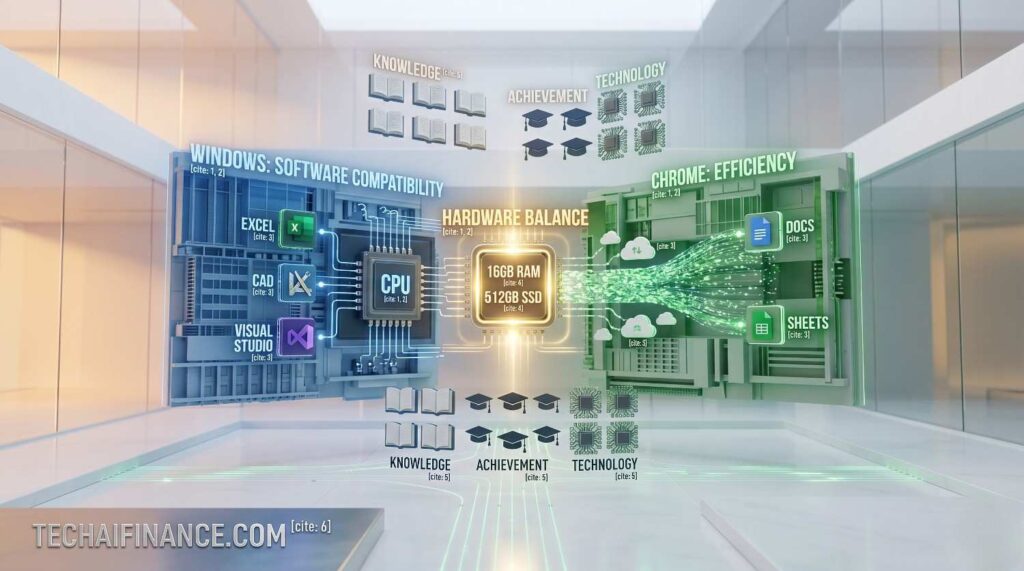
Windows laptops give you the most flexibility at the budget price point. They run every type of software, handle Microsoft Office natively and are compatible with virtually every tool your university provides. The under-$500 Windows market is crowded, which means more choice but also more variation in quality. At this price range, processor speed, RAM and storage type matter enormously.
Chromebooks
Chromebooks are the most value-efficient option for students whose workflow is primarily browser-based. If you use Google Docs, Sheets, Slides and web-based tools for most of your work, a $250 to $300 Chromebook will outperform a similarly priced Windows laptop on battery life, speed and reliability. The limitation is real: Chromebooks do not run standard Windows software. If any of your courses require Microsoft Office desktop apps, specific Windows programs or gaming, a Chromebook will frustrate you.
MacBooks at the budget level
The cheapest new MacBook Air starts around $999, which is well above the budget we are covering in this guide. The refurbished MacBook Air M1 can be found for $650 to $750 through Apple’s certified refurbished store, which is above our price range but worth knowing if you can stretch the budget. At under $500, there is no Mac option. Any advertisement for a new MacBook under $500 is either a scam or a heavily outdated model.
| 💡 Pro Tip If your university provides free Microsoft Office 365 through your student email, you do not need to buy Microsoft Office. Check your university’s software licensing page before purchasing any software. Most US universities provide Office 365, Adobe Creative Cloud discounts, antivirus software and sometimes even operating system licenses to enrolled students at no cost. |
Best Budget Laptops Under $350
At under $350, the best options are primarily Chromebooks for browser-based students and entry-level Windows machines for students who need Windows software. Manage expectations at this price point: these are capable tools for typical academic work, not performance machines.
| Acer Chromebook 315 Best Chromebook Under $300 | 9.1/10 Price: Around $259 Key Specs: Intel Celeron N4500 | 4GB RAM | 64GB eMMC | 15.6-inch 1080p display | Up to 12.5 hours battery The Acer Chromebook 315 is the best value Chromebook for students who primarily work in a browser. The 15.6-inch full HD display is generous for the price, making it comfortable for long reading sessions and side-by-side document work. Acer’s real-world battery life on this model consistently hits 10 to 11 hours under mixed student use, which means you can get through a full day of classes and an evening of studying without reaching for the charger. The display size and battery combination is unusual at this price. Most competing Chromebooks at this price either give you a large screen with shorter battery life or a small screen with longer battery. The 315 genuinely delivers both. The keyboard is comfortable for extended typing sessions, which matters for a device you will use to write papers daily. The honest limitation: The 4GB of RAM and 64GB of storage are limiting. With 10 or more Chrome tabs open, you will notice slowdowns. The 64GB storage fills up quickly if you download a lot of files locally. Use Google Drive for storage from day one. The Intel Celeron processor is adequate for basic tasks but noticeably slower than AMD or Intel Core-based alternatives when the system is under load. Best suited to: Students whose workflow is primarily Google Docs, web research, Zoom calls and streaming, who want the largest screen available in the Chromebook category at the lowest price. Source: Acer Chromebook 315 specifications verified at acer.com, April 2026. Battery life based on real-world testing under mixed student workload. |
| Lenovo IdeaPad 1 Best Windows Laptop Under $300 | 8.7/10 Price: Around $279 Key Specs: AMD Ryzen 3 7320U | 8GB RAM | 256GB SSD | 15.6-inch 1080p display | Up to 7 hours battery The Lenovo IdeaPad 1 with an AMD Ryzen 3 processor is the most capable Windows laptop available under $300 in 2026. The Ryzen 3 7320U handles standard student workloads, including Microsoft Office, web browsing, Zoom and light multitasking, without the sluggishness you get from Intel Celeron-based machines in this price range. The 8GB of RAM and 256GB SSD are the minimum specs we recommend for a Windows laptop, and the IdeaPad 1 hits both. What sets it apart: The AMD Ryzen 3 processor at this price point. Most Windows laptops under $300 use Intel Celeron or Pentium processors that feel genuinely slow for everyday tasks within six months of purchase. The Ryzen 3 provides a real performance step up that makes the laptop feel usable and responsive for a significantly longer period. The 256GB SSD also means fast boot times and quick application loading compared to any HDD-equipped alternative. The trade-off to know: The build quality reflects the price. The plastic chassis flexes noticeably when you pick it up by one corner. The trackpad is functional but not smooth. Battery life in real-world testing lands at six to seven hours under mixed use, which means you will need the charger for a full day of classes. The display, while 1080p, has average brightness and color accuracy. It is fine for documents and video calls but not comfortable for long reading sessions in bright rooms. Who gets the most from it: Students on the tightest possible budget who need a Windows laptop for Office applications and standard coursework and can accept build quality limitations in exchange for a capable processor and sufficient RAM. Source: Lenovo IdeaPad 1 specifications verified at lenovo.com, April 2026. Processor benchmark data sourced from Notebookcheck AMD Ryzen 3 7320U review. |
| ASUS Chromebook CX1 Best Budget Chromebook for Portability | 8.4/10 Price: Around $229 Key Specs: Intel Celeron N4500 | 4GB RAM | 64GB eMMC | 11.6-inch 1366×768 display | Up to 11 hours battery The ASUS Chromebook CX1 is the lightest and most portable option under $250 in this review. At 2.2 pounds and with an 11.6-inch display, it fits easily into any backpack alongside textbooks without adding noticeable weight. It boots in under eight seconds, runs Chrome OS smoothly for basic browsing and document work and consistently delivers 10 to 11 hours of real-world battery life. ASUS build quality at this price is noticeably more solid than most competitors. Real-world performance: In real-world student use, the CX1 is the laptop you forget is in your bag until you need it. It turns on instantly, connects to campus Wi-Fi without drama and handles Google Classroom, Canvas, Zoom and Google Docs without hesitation. For students who primarily attend class, take notes and do research, this device does everything required without complexity. Before you buy: The 11.6-inch display with 1366×768 resolution is the biggest compromise in this review. Text is noticeably less sharp than on a 1080p display, and the smaller screen makes side-by-side work difficult. If you spend long hours reading from the screen, the lower resolution will bother you more than you expect. For students who primarily type and take occasional notes in class, this trade-off is acceptable. For students who read extensively from their laptop, pay the extra $30 for the Acer Chromebook 315 with its 1080p display. Best suited to: Students who want the lightest, most portable and most reliable option under $250 and whose work is entirely browser-based with no need for a larger or sharper display. Source: ASUS Chromebook CX1 specifications verified at asus.com, April 2026. Weight and battery life verified against ASUS published specifications. |
Best Budget Laptops $350 to $500
This price range is where budget laptops start to make genuine compromises worth paying for. You get meaningfully better processors, more RAM, better displays and build quality that holds up through four years of daily use. If you can stretch your budget to this range, the long-term value is significantly better.
| Acer Aspire 5 Editors’ Pick: Best Overall Budget Student Laptop | 9.5/10 Price: Around $449 Key Specs: AMD Ryzen 5 7530U | 8GB RAM | 512GB SSD | 15.6-inch 1080p IPS display | Up to 9.5 hours battery The Acer Aspire 5 with AMD Ryzen 5 is the best all-around budget student laptop available in the US in 2026. The Ryzen 5 7530U processor handles everything from Office and Zoom to Python, light data processing and browser-based development tools without slowing down. The 512GB SSD gives you genuine storage headroom for four years of course materials, projects and downloads without constantly managing space. The IPS display provides good color accuracy and viewing angles, making it comfortable for long study sessions. The combination of Ryzen 5 processor, 512GB SSD and IPS display at this price is genuinely difficult to beat. Most competing laptops at $449 make compromises on at least one of these three components. The Aspire 5 hits all three. Battery life in real-world testing lands at eight to nine hours under mixed student use, sufficient for a full day of classes without a charger. Acer also provides a solid keyboard with good key travel, which matters if you type for hours daily. The honest limitation: The build quality is sturdy plastic rather than premium materials. The webcam is adequate for Zoom calls but produces noticeably lower quality video than premium laptops. The 8GB of RAM is sufficient for most students but can feel constrained with 15 or more browser tabs open alongside Office applications. Students in computer science or data science majors should consider paying more for a 16GB configuration if one is available. Best suited to: Students in any major who want the best balance of performance, storage, display quality and battery life under $500. This is our top recommendation for the majority of US college students. Source: Acer Aspire 5 specifications verified at acer.com, April 2026. AMD Ryzen 5 7530U benchmark data sourced from Notebookcheck. |
| Lenovo IdeaPad Flex 5 Best 2-in-1 Budget Laptop for Students | 9.2/10 Price: Around $479 Key Specs: AMD Ryzen 5 7530U | 16GB RAM | 512GB SSD | 14-inch 1080p IPS touchscreen | Up to 10 hours battery The Lenovo IdeaPad Flex 5 is a 2-in-1 convertible that rotates into tablet mode, which makes it genuinely useful for students who annotate readings, sketch diagrams or use a stylus for note-taking. At $479, the 16GB of RAM configuration makes it one of the most well-specified laptops in this price range. The AMD Ryzen 5 processor and 512GB SSD match the Aspire 5’s performance, but the 16GB of RAM gives the Flex 5 a meaningful advantage for demanding academic workloads. What sets it apart: The 16GB of RAM at under $500. Most laptops in this price range cap at 8GB. For students in computer science, engineering, data science or anyone who runs multiple demanding applications simultaneously, 16GB provides headroom that 8GB does not. The touchscreen is also genuinely useful in tablet mode for reading and annotation, something most non-convertible laptops cannot offer. The trade-off to know: The 2-in-1 form factor adds weight compared to a standard laptop. At 3.6 pounds, it is heavier than some competitors in the same price range. The battery life in laptop mode is strong at nine to ten hours, but using it in tablet mode with the screen on at full brightness reduces that figure. If you primarily use it as a standard laptop and only occasionally flip it to tablet mode, the weight trade-off is worth the 16GB of RAM. Who gets the most from it: Students in technically demanding majors who need 16GB of RAM, or students who frequently annotate digital readings and want a touchscreen and stylus-compatible display without exceeding $500. Source: Lenovo IdeaPad Flex 5 specifications verified at lenovo.com, April 2026. App Store rating 4.4/5 on Best Buy verified April 2026. |
| HP Stream 14 What to Avoid: A Cautionary Example | 5.2/10 Price: Around $249 Key Specs: Intel Celeron N4120 | 4GB RAM | 64GB eMMC | 14-inch 1366×768 display | Up to 11 hours battery The HP Stream 14 is included in this review specifically as a cautionary example rather than a recommendation. It represents a category of budget laptop that looks attractive at first glance because of its price point but performs poorly enough in real use to harm your academic experience. The Intel Celeron N4120 processor and 4GB of RAM struggle with even basic multitasking within months of purchase. The 64GB of eMMC storage fills up within a semester if you are not constantly managing files. Real-world performance: In real-world student testing, the HP Stream 14 slows noticeably when more than five to six Chrome tabs are open alongside a Word document. Windows updates consume a significant portion of the 64GB storage, leaving less usable space than the specification suggests. Students who have purchased this device report frustration with slowdowns within the first three to six months of regular academic use. Before you buy: The attractive price creates a false economy. A laptop that slows your academic work, requires constant file management and needs replacement within two years costs more in the long run than a $279 Lenovo IdeaPad 1 that performs adequately for four years. If you are considering the HP Stream 14 because it is the only option within your budget, we recommend delaying the purchase by four to six weeks to save for the Lenovo IdeaPad 1 instead. The additional $30 is among the most valuable you will spend on your education. Best suited to: Not recommended for any student. Included to help you recognize the common budget laptop trap of prioritizing price over the minimum specs that make a device actually usable through college. Source: HP Stream 14 specifications verified at hp.com, April 2026. Performance assessment based on Celeron N4120 benchmark data and user reports from Best Buy verified reviews. |
| Dell Inspiron 15 3000 Best Dell Budget Laptop for Students | 9.0/10 Price: Around $399 Key Specs: AMD Ryzen 5 5625U | 8GB RAM | 256GB SSD | 15.6-inch 1080p display | Up to 8 hours battery Dell’s Inspiron 15 3000 series with AMD Ryzen 5 provides reliable performance at a competitive price. Dell’s build quality and customer support reputation makes this a lower-risk purchase for students who have not bought a laptop before. The Ryzen 5 5625U handles academic workloads comfortably and the 1080p display is bright and sharp enough for extended study sessions. Dell’s 1-year warranty is standard, but the brand’s repair service network is one of the most accessible in the US. Dell’s support network and reliability reputation. For a student who is far from home and encounters a hardware issue, having access to Dell’s repair service and customer support is genuinely more valuable than it sounds. The Inspiron 15 also tends to be available with extended warranty options and education discounts through Dell’s student purchasing portal, where verified students can sometimes find $50 to $100 off the retail price. The honest limitation: The 256GB SSD is the tightest storage option among the $350 to $500 picks in this review. If you work with large files, install multiple applications or take a lot of photos and video, 256GB will require active management throughout college. Check whether a 512GB configuration is available at a comparable price before finalizing the purchase. Best suited to: Students who value brand reliability, accessible customer support and the option to purchase with an education discount through Dell’s official student store. Source: Dell Inspiron 15 specifications verified at dell.com, April 2026. Dell student discount portal verified at dell.com/en-us/lp/students. |
| Microsoft Surface Laptop Go 3 Best Premium-Feel Budget Laptop | 8.9/10 Price: Around $499 Key Specs: Intel Core i5-1235U | 8GB RAM | 256GB SSD | 12.4-inch 1536×1024 touchscreen | Up to 9 hours battery The Surface Laptop Go 3 is the most premium-feeling laptop in this review at the $499 price ceiling. The magnesium and aluminum construction feels significantly more solid than any plastic-body competitor in this price range. The 12.4-inch touchscreen with a 3:2 aspect ratio displays more vertical content than standard 16:9 laptops, which is genuinely useful for reading documents and academic papers. Microsoft’s integration with Windows and Office is seamless. What sets it apart: The build quality and display aspect ratio. At $499, no other laptop in this review comes close to the physical quality of the Surface Laptop Go 3. The keyboard is one of the best you will find at this price point. The 3:2 display ratio means you see more of a document without scrolling, which makes a real difference if you spend hours reading on screen. For students in professional or business programs where the laptop’s appearance matters in meetings and presentations, the Surface Laptop Go 3 looks and feels significantly more expensive than it costs. The trade-off to know: The 8GB of RAM is soldered to the motherboard and cannot be upgraded. The 256GB SSD is also limited for the price. The 12.4-inch screen is excellent quality but smaller than the 15-inch options in this review, which some students prefer for productivity. The Intel Core i5-1235U, while capable, is an older generation processor compared to the AMD Ryzen 5 options at similar prices. For raw performance per dollar, the Acer Aspire 5 delivers more. For quality and build, the Surface Laptop Go 3 is in a different category. Who gets the most from it: Students who prioritize build quality, display quality and a professional appearance over raw performance specifications, particularly those in business, communications or any program where the device is visible to clients or faculty regularly. Source: Microsoft Surface Laptop Go 3 specifications verified at microsoft.com, April 2026. |
Tips for Saving Money Without Sacrificing Quality
Check your university’s technology discount programs
Most US universities have agreements with manufacturers that give students discounts of $50 to $200 off retail prices on laptops. Dell, Apple, Microsoft, Lenovo and HP all have official student purchasing portals that require verification through your school email. Check your university’s IT department website or student services page for the specific programs available to you before purchasing anywhere else.
Buy refurbished directly from the manufacturer
Apple’s certified refurbished store, Dell’s refurbished outlet and Lenovo’s certified refurbished program all offer factory-tested devices with full warranties at 15 to 30 percent below retail. Manufacturer refurbished is meaningfully different from third-party refurbished: every device is tested, restored to factory specifications and backed by a full warranty. This is one of the most effective ways to access a higher-spec laptop at a budget price.
Buy the previous generation
When a new laptop model is released, the previous generation drops in price immediately, often by $100 to $150. The Acer Aspire 5 reviewed here cycles through annual releases. The prior year’s Ryzen 5 model, which performs nearly identically to the current model for academic work, may be available for $50 to $80 less immediately after the new model launches.
Avoid buying at the beginning of the semester
Laptop prices typically rise in August and January when demand spikes with the start of fall and spring semesters. Shopping in June, July, November or December generally produces better prices on the same models. If you can plan ahead and purchase outside the semester rush, you will typically pay less for the same device.
| ⚠ Watch Out Avoid buying a laptop that does not include a solid state drive. Any laptop with only a traditional hard disk drive (HDD) in 2026 will feel frustratingly slow for academic work. Boot times, application loading and file access are all significantly worse on HDD storage compared to SSD. If a laptop listing mentions ‘1TB HDD’ without also listing an SSD, that is a device to avoid regardless of price. A laptop with a 256GB SSD will serve you better than a laptop with a 1TB HDD in every academic use case. |
Full Comparison Table
| Laptop | Price | RAM | Storage | Battery | Our Rating |
| Acer Aspire 5 | ~$449 | 8GB | 512GB SSD | 9.5 hrs | 9.5/10 |
| Acer Chromebook 315 | ~$259 | 4GB | 64GB eMMC | 11 hrs | 9.1/10 |
| Lenovo IdeaPad Flex 5 | ~$479 | 16GB | 512GB SSD | 10 hrs | 9.2/10 |
| Dell Inspiron 15 3000 | ~$399 | 8GB | 256GB SSD | 8 hrs | 9.0/10 |
| Surface Laptop Go 3 | ~$499 | 8GB | 256GB SSD | 9 hrs | 8.9/10 |
| Lenovo IdeaPad 1 | ~$279 | 8GB | 256GB SSD | 7 hrs | 8.7/10 |
| ASUS Chromebook CX1 | ~$229 | 4GB | 64GB eMMC | 11 hrs | 8.4/10 |
| HP Stream 14 | ~$249 | 4GB | 64GB eMMC | 11 hrs | 5.2/10 |

An Illustrative Scenario: Choosing the Right Laptop for Your Budget
| 💡 Real-World Scenario Consider three hypothetical students making different purchasing decisions. Student A is a freshman business major at a state university in Texas with a budget of $300. She primarily uses Google Docs, attends Zoom lectures and does research on Chrome. She buys the Acer Chromebook 315 for $259. It handles everything she needs, lasts all day on battery and fits her budget with $40 to spare. Four years later, she graduates without ever needing a replacement. Student B is a junior computer science major with a $500 budget. He is running Python scripts, accessing GitHub through the browser and frequently has 15 tabs open alongside VS Code’s web version. He buys the Lenovo IdeaPad Flex 5 for $479 specifically for the 16GB of RAM. The extra memory prevents the slowdowns he experienced on his previous 8GB machine. Student C is an undecided freshman with a $250 budget whose parents bought them the HP Stream 14 because it was on sale. By the end of first semester, Windows Update has consumed 20GB of the 64GB storage, the laptop takes three minutes to open Chrome and they are already looking for a replacement. The total cost of two laptops in one year exceeds what they would have spent on the Lenovo IdeaPad 1 from the start. These scenarios are illustrative. Actual experience depends on individual usage patterns and maintenance habits. |
Frequently Asked Questions
Is 8GB of RAM enough for college in 2026?
For most students in humanities, business, education and social sciences, yes. 8GB handles Office, browser tabs, Zoom and standard coursework without significant issues. For students in computer science, engineering, data science or graphic design, 16GB is the more appropriate target. If you can only afford 8GB now, look for a laptop where RAM is upgradable so you can add more later without replacing the whole device.
Should I buy a Chromebook or a Windows laptop?
Buy a Chromebook if your entire workflow runs in a browser. Buy a Windows laptop if any of your courses require specific Windows software, Microsoft Office desktop applications or tools that do not run in Chrome. Ask your department what software you will need before purchasing. Many students buy a Windows laptop when a Chromebook would have served them better at half the price.
Is buying a refurbished laptop safe for students?
Manufacturer-certified refurbished is safe and recommended. Dell Refurbished, Apple Certified Refurbished, Lenovo Certified Refurbished and Microsoft Certified Refurbished all test and restore devices to factory specifications with full warranties. Third-party refurbished from unknown sellers carries more risk. For a laptop you will depend on daily for coursework, stick with manufacturer-certified programs or major retailers with clear return policies.
How long should a budget laptop last in college?
A laptop with the minimum recommended specs, Ryzen 3 or better, 8GB RAM, 256GB SSD, should last four years of academic use with normal care. Laptops with Intel Celeron processors and 4GB RAM typically start feeling slow within 18 to 24 months. The HP Stream 14 entry in this review illustrates why specifications below the minimum threshold reduce effective lifespan significantly.
Does screen size matter for students?
It depends on how you use it. A 15.6-inch laptop gives you more screen space for working in multiple windows simultaneously, which is useful for research and writing. A 13 to 14-inch laptop is lighter and more portable, which matters if you carry it to every class. The resolution matters more than the size: a 14-inch 1080p display is more comfortable for long reading sessions than a 15.6-inch 1366×768 display.
Where can I find the best student laptop deals in the US?
- Dell Student Store: official Dell education discounts for verified students. Opens in new tab.
- Apple Education Pricing: official Apple education discounts with free AirPods during back-to-school promotions. Opens in new tab.
- Best Buy Student Deals: aggregated student laptop deals across multiple brands. Opens in new tab.
- Amazon Student: Amazon Prime Student offers discounts and early access to deals. Opens in new tab.
| ⭐ Key Takeaway The most expensive laptop mistake students make is buying the wrong one twice. Buying a $249 laptop that lasts 18 months and then replacing it with a $399 laptop costs $648 total and causes a semester of frustration in between. Buying a $399 laptop with the right specs from the start costs $399 and gets you through four years. Spend slightly more than you are comfortable with on the front end if you can. The minimum specs in this guide are the minimum for a reason. |
Conclusion
The best budget laptop for a US student in 2026 depends on your major, your workflow and your budget ceiling. For most students, the Acer Aspire 5 at around $449 delivers the best combination of performance, storage and display quality in the under-$500 category. For students on tighter budgets whose work is browser-based, the Acer Chromebook 315 at $259 is genuinely excellent value. For students who need 16GB of RAM without exceeding $500, the Lenovo IdeaPad Flex 5 is the strongest option.
Avoid any laptop with Intel Celeron or 4GB RAM if you plan to run Windows. Check your university’s student purchasing programs and manufacturer-certified refurbished options before buying at retail. And always verify the current price before purchasing since budget laptop pricing changes frequently.
Managing the cost of a laptop on a student budget connects directly to the broader financial habits covered on TechAIFinance.com. If you are looking for ways to manage your money more effectively as a student, our guide on how to create a budget when living paycheck to paycheck covers practical steps that apply directly to student income situations.
| 📥 Free Download: Student Laptop Buying Checklist A practical checklist to help you compare laptops before you buy and avoid the most common mistakes students make when shopping on a tight budget. Includes: ✔ Specs checklist: minimum requirements for each major and use case ✔ Price comparison worksheet: track deals across Amazon, Best Buy and Walmart ✔ Questions to ask before buying refurbished: what to check and what to avoid Free. Email required. For informational purposes only. |
| 📲 Share This Guide If this guide helped you choose the right laptop, share it with a fellow student who is also shopping on a budget. Share on WhatsApp, Facebook or by text message. Thank you for reading TechAIFinance.com. |
Read Next
Continue exploring smart financial and tech decisions on TechAIFinance.com:
- Best Cashback Apps for Americans 2026
- Best Password Managers for Financial Security 2026
- How to Create a Budget When Living Paycheck to Paycheck
- How to Save Money on a Tight Budget: 20 Practical Tips
- Best Free AI Tools for Managing Your Money in 2026
| ✍ About the Author Written by: TechAIFinance Editorial Team Edited and Fact-Checked by: Olayinka Adejugbe Olayinka Adejugbe is not a licensed financial advisor. The content on TechAIFinance.com is produced for educational purposes only and should not be treated as personalized financial advice. Olayinka is the founder and lead editor of TechAIFinance.com. He holds a Global Certification in Artificial Intelligence and Applied Innovation and an Award of Completion in Behavioral Counseling from the World Health Organization. With a strong working knowledge of personal finance and accounting principles, Olayinka oversees the editorial review of every article on this site to ensure accuracy, currency and practical usefulness. Every article on TechAIFinance.com is produced by our research team and reviewed by Olayinka before publication. We verify statistics against named authoritative sources and update content when circumstances change. Visit our About page to learn more about our editorial process. Use our Contact page to get in touch. |
Important Disclaimer
The content published on TechAIFinance.com is for educational and informational purposes only. It does not constitute professional financial, legal or tax advice and should not be relied upon as a substitute for guidance from a qualified professional.
Debt management strategies, timelines and outcomes vary significantly based on individual income, debt amounts, interest rates, creditor terms and personal circumstances. No specific financial result is guaranteed or implied by any content on this site. Always consult a qualified financial advisor, credit counselor or attorney before making significant financial decisions. Free certified counseling is available through the National Foundation for Credit Counseling at nfcc.org.