Americans reported losing $15.9 billion to fraud in 2025, the highest figure on record and an increase of roughly 27 percent over 2024, per the Federal Trade Commission 2026 report. Imposter scams alone accounted for $3.5 billion of that total, with losses nearly tripling since 2020.

Artificial intelligence is a big part of why. Scammers now use cloned voices, deepfake video, and AI-written scripts to make old tricks feel new and convincing. But the same technology is also showing up on the other side of the fight. Phone makers, browsers, and antivirus companies have all shipped free or low-cost AI tools in 2026 that scan messages, calls, and video in real time and flag what looks like fraud before you act on it.
This guide walks through five AI tools Americans can use right now to catch scams before they cost real money, how each one actually works, what it misses, and how to use a general-purpose AI chatbot like ChatGPT or Claude as a free second opinion when something feels off.
| ℹ QUICK SUMMARY Americans reported losing $15.9 billion to fraud in 2025, up about 27% from 2024, per the Federal Trade Commission 2026.AI-related fraud complaints cost victims nearly $900 million in 2025 across more than 22,000 reports, per the FBI Internet Crime Complaint Center 2026.Imposter scams remained the single costliest fraud category at $3.5 billion in reported losses, per CNBC 2026.More than 90% of threats aimed at consumers in 2025 came from scams, phishing, and fake ads, per the Gen Threat Report 2026.Deepfake and scam detection has become a mainstream consumer security category in 2026, with every major antivirus vendor now shipping an AI scam checker, per eSecurityPlanet 2026. |
| 📘 WHAT THIS GUIDE COVERS Why AI-powered scams are growing faster than traditional fraud Five real AI tools you can start using today, free and paid How on-device AI scam detection works inside Google Messages and Chrome How to use ChatGPT or Claude as a free second opinion on a suspicious message A head-to-head comparison across 8 real-world use cases Copy-and-paste prompts you can use immediately The honest limitations of every tool, including what still slips through A real-world example of an AI tool catching a scam in time |
Table of Contents
1. Why Scammers Are Using AI Against You
2. Norton Genie: Free AI Scam Checker
3. Google Scam Detection: Built Into Your Phone and Browser
4. Bitdefender Scamio: Free AI Chatbot Scam Checker
5. McAfee Scam Detector: Paid Deepfake Protection
6. Using ChatGPT and Claude as a Free Second Opinion
7. Head-to-Head Comparison
8. Watch Out: What AI Scam Tools Still Miss
9. Real-World Example
10. Frequently Asked Questions
11. Key Takeaway
Why Scammers Are Using AI Against You
| AI-generated scams now use cloned voices, deepfake video, and personalized phishing scripts written by large language models. Reported losses tied to AI-related fraud reached nearly $900 million in 2025 across more than 22,000 complaints, per the FBI Internet Crime Complaint Center 2026, and the trend is accelerating fast. |
Voice cloning and deepfake video are now the main drivers behind the AI-scam surge, supercharging classic schemes like romance scams, fake kidnapping calls, and government impersonation, per the FBI Internet Crime Complaint Center 2026. A convincing fake video or cloned voice can now be produced for a few dollars and a few minutes of setup, which is part of why these scams have scaled so quickly.
Total consumer fraud losses reported to the Federal Trade Commission hit $15.9 billion in 2025, up from $12.5 billion in 2024, a jump of about 27 percent in a single year, per the Federal Trade Commission 2026. Imposter scams, where a scammer pretends to be a bank, government agency, or trusted contact, were the single largest category at $3.5 billion, per CNBC 2026.
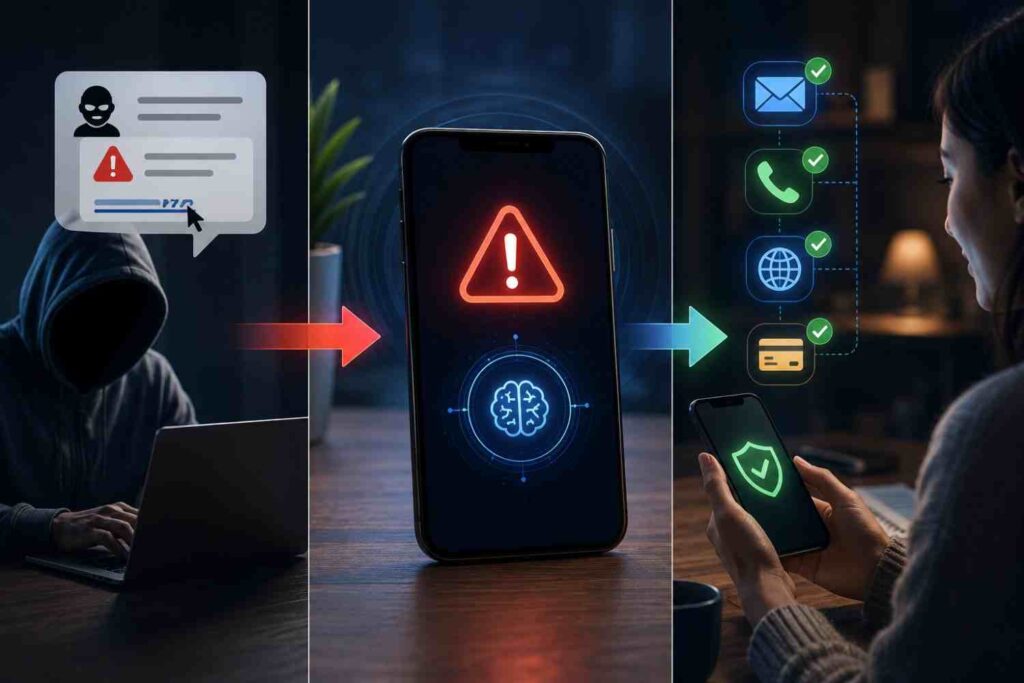
The good news is that the same AI capabilities scammers use to attack are now being built directly into the phones, browsers, and security software Americans already own. The five tools below cover the most common ways a scam actually reaches you: text, email, phone call, website, and video.

Norton Genie: Free AI Scam Checker
| Norton Genie is a free AI chatbot that reviews text messages, emails, screenshots, and links to flag likely scams, available on the web, as a mobile app, and now inside ChatGPT. It works well on common scams like fake delivery notices and gift card offers, per Techlicious testing, but subtler social-engineering messages can still get through. |
| Norton Genie [Editor’s Pick, Easiest to Use] Cost: Free Platform: Web, iOS, Android, and inside ChatGPT as a connected app Our Rating: 8.5 out of 10 What it is: A free AI-powered scam checker from Norton (part of Gen) that reviews text, email, images, and links you paste or upload. How it works: You paste a message, upload a screenshot, or share a link, and Genie’s AI compares it against known scam patterns and Norton’s threat database, then explains why it flagged (or cleared) the content. Real numbers: More than 90% of threats aimed at consumers in 2025 came from scams, phishing, and fake ads, per the Gen Threat Report 2026. AI and smart features: Genie uses generative AI to read and explain suspicious content conversationally, layered on top of Norton’s rules-based scam and phishing databases. It is not simply a blocklist. Honest limitation: Genie is strong on obvious red flags like fake delivery texts and gift card scams, but more nuanced social-engineering messages that mimic casual conversation from a friend or coworker can still slip through undetected, per Techlicious testing. Best for: Anyone who wants a fast, free second opinion on a specific suspicious text, email, or link. Source: Verified at us.norton.com/feature/genie-ai-scam-detector, September 2026. |
Google Scam Detection: Built Into Your Phone and Browser
| Google’s Scam Detection uses the on-device Gemini Nano model to analyze calls, texts, and web pages for scam patterns in real time, without sending audio or conversations to Google’s servers. It ships free in Google Messages, Phone by Google, and Chrome’s Enhanced Protection mode on eligible Android devices. |
| Google Scam Detection (Messages, Phone, Chrome) [Best Built-In Protection] Cost: Free, built into Android and Chrome Platform: Eligible Pixel and Samsung Galaxy S26+ devices for calls; Chrome and Google Messages more broadly Our Rating: 8 out of 10 What it is: A set of AI features across Google Messages, Phone by Google, and Chrome that watch for scam patterns in real time as a call, text, or webpage happens. How it works: Gemini Nano, Google’s on-device AI model, listens for conversation patterns commonly associated with scams during a call, scans incoming messages for scam signals, and evaluates webpages for deceptive intent in Chrome’s Enhanced Protection mode. Real numbers: Call Scam Detection expanded from Pixel devices to the Samsung Galaxy S26 series in February 2026, with a call-verification handshake feature added in June 2026, per Android Police 2026. AI and smart features: This is genuine generative AI (Gemini Nano) running locally on the device, not a static spam-number blocklist. Google says call audio is processed ephemerally and never stored or sent to its servers. Honest limitation: Call Scam Detection is off by default and only available on a limited set of newer Pixel and Galaxy devices in select countries, so most Android users and all iPhone users cannot use it yet, per iTechGuides 2026. Best for: Android users, especially owners of newer Pixel or Galaxy phones, who want real-time protection without opening a separate app. Source: Verified at blog.google/security, September 2026. |
Bitdefender Scamio: Free AI Chatbot Scam Checker
| Scamio is Bitdefender’s free AI chatbot that checks suspicious texts, emails, links, and screenshots for scam signals, accessible through the Bitdefender website, WhatsApp, Facebook Messenger, and Discord with no account or download required. |
| Bitdefender Scamio [Most Accessible] Cost: Free Platform: Web, WhatsApp, Facebook Messenger, and Discord Our Rating: 8 out of 10 What it is: A free AI-powered scam-checking chatbot from Bitdefender that anyone can message directly, with no software install required. How it works: You send Scamio a suspicious message, link, or screenshot through chat, and it compares the content against Bitdefender’s scam database and applies AI analysis to explain the risk. Real numbers: Bitdefender pairs Scamio with Digital Identity Protection, which starts at $39.99 for the first year, while Scamio itself remains free, per eSecurityPlanet 2026. AI and smart features: Scamio combines an AI chatbot interface with Bitdefender’s rules-based scam and phishing database. It gets more accurate over time as it processes more real-world scam submissions. Honest limitation: Scamio checks text, links, and images well, but it does not include video deepfake detection. That is handled by a separate Bitdefender app, RealCheck, per eSecurityPlanet 2026. Best for: Anyone who wants a zero-install way to double-check a message without downloading another app or creating an account. Source: Verified at bitdefender.com/consumer/scamio, September 2026. |
McAfee Scam Detector: Paid Deepfake Protection
| McAfee’s Scam Detector scans texts, links, and video for AI-generated fraud, including deepfake audio in videos, but it requires an active McAfee subscription rather than working as a free standalone tool like its competitors. |
| McAfee Scam Detector (with Deepfake Detector) [Best for Deepfake Video] Cost: Requires a paid McAfee antivirus subscription; not available free-standing Platform: Windows, macOS, Android, iOS; Deepfake Detector runs in-browser on Intel Core Ultra 200V-series laptops Our Rating: 7.5 out of 10 What it is: An AI-powered scam and deepfake detection feature bundled into McAfee’s paid security suites, covering text, email, and AI-generated video and audio. How it works: McAfee’s AI scans suspicious texts, emails, and links for scam intent, while a separate transformer-based deep neural network model analyzes video you are watching in-browser and alerts you within seconds if the audio appears AI-generated. Real numbers: McAfee reports its Scam Detector identifies deepfakes with 96% accuracy in company-reported testing, and says the feature reached over a million enrolled customers within weeks of launch, per McAfee’s own announcement, 2025. AI and smart features: This combines generative-AI-style language analysis for text and email with a purpose-built deep neural network for deepfake audio detection. These are two distinct AI systems, not a single model doing everything. Honest limitation: Unlike Norton Genie and Bitdefender Scamio, McAfee’s Scam Detector is not available as a free standalone tool. You need an active paid McAfee subscription to use it, which raises the real cost compared to free alternatives, per Yahoo Tech 2025 reporting. Best for: Existing McAfee subscribers, or anyone specifically worried about deepfake video and willing to pay for a full security suite. Source: Verified at mcafee.com/ai/deepfake-detector, September 2026. |
Using ChatGPT and Claude as a Free Second Opinion
| General-purpose AI chatbots like ChatGPT and Claude can also review a suspicious message when pasted in directly, and Norton has even launched an official Genie app inside ChatGPT so you can ask about a scam without leaving the conversation. |
You do not need a dedicated scam-detection app to get a useful AI opinion. Both ChatGPT and Claude can read a pasted message and flag common red flags such as urgency, requests for gift cards, and mismatched sender details. Norton has taken this further by launching an official Genie app inside ChatGPT, so US users on the Free, Plus, Team, and Enterprise tiers can ask “@Norton, is this a scam?” directly inside a ChatGPT conversation, per Norton’s March 2026 announcement.
| 🤖 AI PROMPT: COPY AND PASTE Optimized for: ChatGPT or Claude (general-purpose) I received the message below and I’m not sure if it’s a scam. Read it closely and tell me: 1) What specific red flags you see, if any. 2) Whether this matches a known scam pattern. 3) What I should do next, without me sending any money, codes, or personal information yet. Here is the message: [paste the full text, email, or transcript here] |
| 🤖 AI PROMPT: COPY AND PASTE Optimized for: Norton Genie inside ChatGPT @Norton, is this a scam? [paste the suspicious text, email, or describe the call you just received] |
A general-purpose chatbot is not a dedicated scam database, so treat its answer as a second opinion, not a final verdict. If it flags something as risky, stop before clicking, paying, or sharing information, and verify independently through the official phone number or website of the company involved.
Head-to-Head Comparison
| Use Case | Norton Genie | Google Scam Detection | Bitdefender Scamio | McAfee Scam Detector | ChatGPT / Claude |
| Check a suspicious text message | Yes | Yes, on-device | Yes | Yes (paid) | Yes, paste and ask |
| Check a suspicious email | Yes | Limited (Gmail separate) | Yes | Yes (paid) | Yes, paste and ask |
| Check a link or website | Yes | Yes, in Chrome | Yes | Yes (paid) | Limited, no live browsing by default |
| Real-time phone call warning | No | Yes, Pixel and Galaxy S26+ | No | No | No |
| Deepfake video detection | No | No | Limited, via RealCheck app | Yes, 96% claimed accuracy | No |
| Screenshot or image analysis | Yes | No | Yes | Yes (paid) | Yes, upload image |
| Cost | Free | Free, built into Android | Free | Paid subscription required | Free tier available |
| Processing location | Cloud | On-device (Gemini Nano) | Cloud | Cloud and on-device | Cloud |
Watch Out: What AI Scam Tools Still Miss
| ⚠ WATCH OUT Every tool in this guide has a documented blind spot. Casual, low-pressure social-engineering messages, the kind that read like a normal text from a friend or coworker asking “you free for coffee?” before pivoting to a request for money, are the hardest for AI scam checkers to catch, per Techlicious testing of Norton Genie. Treat any AI scam tool as one layer of protection, not a replacement for slowing down and verifying independently before you send money or personal information. |
Real-World Example
| 💡 REAL-WORLD EXAMPLE Maria Alvarez, a 58-year-old teacher in Tampa, Florida, received a text claiming to be from her bank saying her account had been locked due to suspicious activity. Before clicking the link, she pasted the message into Norton Genie, which flagged it as a likely phishing attempt because the link domain did not match her bank’s real website. She called her bank directly using the number on her card instead, and confirmed no lock had been placed on her account. David Kim, a small business owner in Austin, Texas, got a call that sounded exactly like his adult son asking for emergency bail money. His Pixel phone’s Scam Detection feature flagged the call in real time for matching known scam conversation patterns. Unsettled, David hung up and called his son’s number directly, reaching him safely at home. The voice on the original call had been an AI clone. These examples are illustrative. Actual results depend on individual circumstances. |
Frequently Asked Questions
Are AI scam detection tools actually free?
Norton Genie, Google’s built-in Scam Detection, and Bitdefender Scamio are all free to use at their core tier. McAfee’s Scam Detector requires an active paid McAfee subscription, so it is the exception among the tools covered here.
Can AI scam tools stop a scam call while it’s happening?
Google’s Scam Detection in Phone by Google is currently the only tool in this guide that analyzes a live call in real time, and it is limited to eligible Pixel and Samsung Galaxy S26 and newer devices in select countries.
Do I need to download anything to use these tools?
No. Bitdefender Scamio works through chat apps you likely already have, like WhatsApp or Discord, and Norton Genie is available on the web with no account required for a basic check.
Is ChatGPT or Claude reliable for checking scams?
They can be a useful free second opinion for spotting obvious red flags in a pasted message, but neither is a dedicated scam database, so treat the answer as a starting point rather than a final verdict.
What is the single biggest AI scam risk in 2026?
Voice cloning and deepfake video used in imposter scams, which cost Americans $3.5 billion in reported losses in 2025, the largest single fraud category tracked by the FTC.
Will these tools catch every scam?
No. Subtler, low-pressure social-engineering messages that mimic normal conversation remain difficult for every AI scam tool tested, so independent verification is still necessary.
| ⭐ KEY TAKEAWAY No single AI tool covers every way a scam can reach you. Combine a free text and link checker like Norton Genie or Bitdefender Scamio with the built-in protection already on your phone, and treat any AI’s answer as a second opinion, not a replacement for calling a company back on its official number before you send money. |
Conclusion
AI-powered scams are not slowing down, but neither is AI-powered protection. Pairing a free tool like Norton Genie or Bitdefender Scamio with your phone’s built-in defenses gives you real coverage against the most common scam channels without spending a dollar. If you are also working on the financial side of protecting yourself, see our guides on how to use AI to improve your credit score and the best free AI tools for managing your money.
| 📲 SHARE THIS GUIDE Know someone who could use this? Share this guide with a parent, friend, or coworker before the next suspicious text lands in their inbox. |
Read Next
Continue building your financial knowledge on TechAIFinance.com:
- Emergency Fund Calculator Guide: How Much Do Americans Really Need in 2026?
- How to Get Out of Debt Fast on a Low Income: 7-Step Plan
- Sinking Funds Explained: The Budgeting Strategy Every American Should Know
- Credit Score Ranges Explained: What Your Number Means for Americans in 2026
- How to Build Wealth on a Single Income in the US 2026
| ✍ About the Author Written by: TechAIFinance Editorial Team Edited and Fact-Checked by: Olayinka Adejugbe Olayinka Adejugbe is not a licensed financial advisor. The content on TechAIFinance.com is produced for educational purposes only and should not be treated as personalized financial advice. Olayinka is the founder and lead editor of TechAIFinance.com. He holds a Global Certification in Artificial Intelligence and Applied Innovation and an Award of Completion in Behavioral Counseling from the World Health Organization. With a strong working knowledge of personal finance and accounting principles, Olayinka oversees the editorial review of every article on this site to ensure accuracy, currency and practical usefulness. Every article on TechAIFinance.com is produced by our research team and reviewed by Olayinka before publication. We verify statistics against named authoritative sources and update content when circumstances change. Visit our About page to learn more about our editorial process. Use our Contact page to get in touch. |
Disclaimer & Content Note
The information provided on TechAIFinance.com—including content on personal finance, side hustles, AI tools, and tech reviews is for educational and informational purposes only and does not constitute professional financial, legal, tax, or technical advice. Financial outcomes, business earnings, and tech performance vary based on individual circumstances and market conditions. TechAIFinance.com makes no guarantees regarding results or tool performance. Always consult a qualified professional before making major financial, business, or tech purchasing decisions. Free certified credit counseling is available through the National Foundation for Credit Counseling at nfcc.org.