Faceless YouTube channels have crossed from niche experiment to mainstream content business in 2026. They now account for 38 percent of all new creator monetization ventures, up from just 12 percent in 2022, per faceless creator industry data aggregated by AutoFaceless. The Infographics Show, Lofi Girl and hundreds of smaller channels prove that income from YouTube does not require a camera pointed at your face. What it requires is the right niche, consistent original content and a workflow efficient enough to publish regularly without burning out.
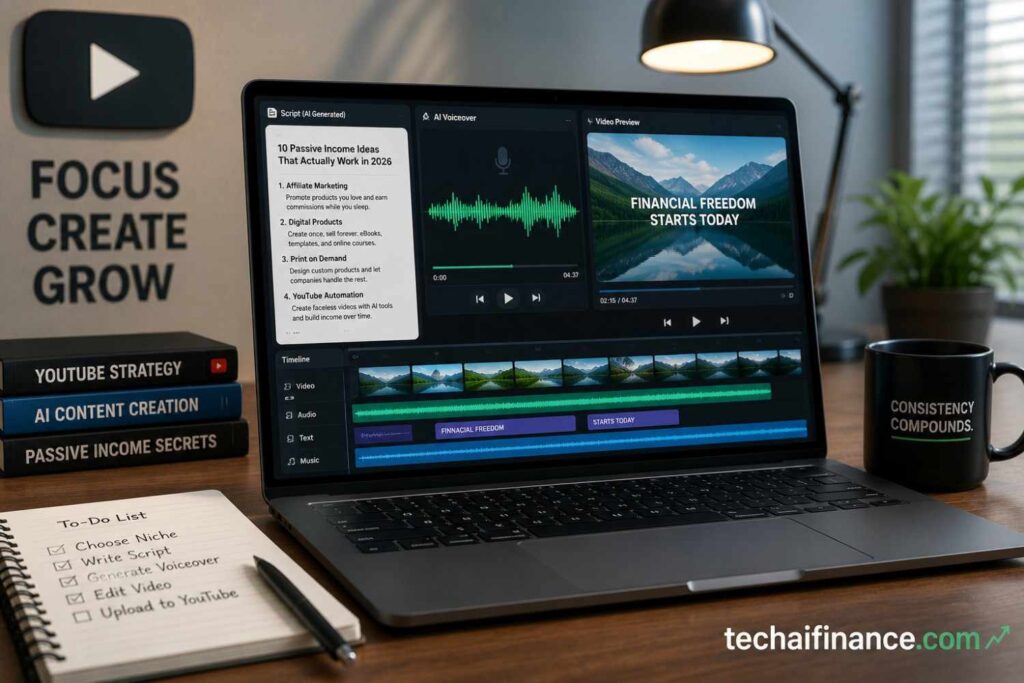
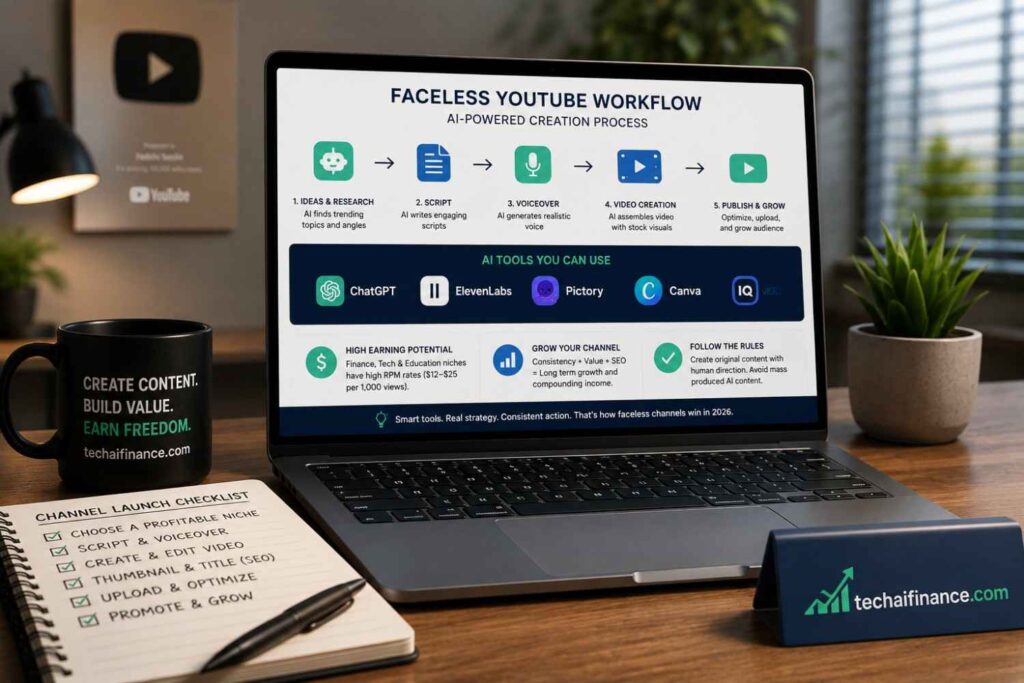
AI tools have made that workflow accessible to Americans who could never afford a production team. ChatGPT or Claude writes the script. ElevenLabs or a similar tool produces the voiceover in a professional AI voice. Pictory, InVideo or CapCut assembles the video from stock footage and the narration. The entire production pipeline that once required a videographer, an editor and a voice actor can now be handled by one person with a laptop and $50 to $100 in monthly software subscriptions.
But 2026 is also the year YouTube made its policy toward AI content significantly clearer and more consequential. On July 15, 2025, YouTube renamed and sharpened its inauthentic content policy. Channels using AI to mass-produce low-effort videos with no original creative direction face a three-strike system leading to permanent removal from the YouTube Partner Program. Channels using AI as a creative tool with genuine human editorial direction are not only allowed but thrive. Understanding exactly where that line sits is the most important thing this guide covers.
| ℹ Quick Summary Faceless YouTube channels account for 38 percent of all new creator monetization ventures in 2026, up from 12 percent in 2022, a 217 percent increase in three years, per faceless creator industry data aggregated by AutoFaceless 2026. YouTube paid out over $20 billion to creators globally in 2025, per YouTube official creator economy disclosures. Finance and technology faceless channels earn RPM rates of $12 to $25 per 1,000 views, among the highest available on the platform, per Fluxnote creator revenue analysis 2026. YouTube updated its repetitious content policy to the Inauthentic Content Policy on July 15, 2025. Mass-produced AI channels with no original creative direction now face a three-strike demonetization system, per YouTube official policy documentation 2026. YouTube Partner Program full monetization in 2026 requires 1,000 subscribers and 4,000 public watch hours in the past 12 months for long-form content, or 1,000 subscribers and 10 million Shorts views in 90 days, per YouTube Partner Program official requirements 2026. Beginner faceless channels in high-RPM niches typically earn $100 to $500 per month in their first monetized months and can reach $2,000 to $10,000 per month after 12 to 24 months of consistent publishing, per Korpi AI and Fluxnote creator revenue analysis 2026. |
| 📘 What This Guide Covers Why faceless YouTube is exploding in 2026 and what makes it different from traditional YouTube How to choose a niche that pays: RPM rates by category with real numbers YouTube’s 2026 AI content policy explained: exactly what is allowed and what gets you demonetized The complete AI tool stack for faceless video production from script to upload How to get from zero to YouTube Partner Program eligibility in 6 to 12 months The five income streams beyond AdSense that top faceless channels use The critical mistakes that get faceless channels demonetized in 2026 A realistic month-by-month income timeline based on current creator data A real-world example of two Americans who started faceless channels with different results |
Table of Contents
- Why Faceless YouTube Is the Right Time for Americans in 2026
- Step 1: Choose the Right Niche
- Step 2: Understand YouTube’s 2026 AI Content Policy
- Step 3: Build Your AI Tool Stack
- Step 4: Create Your First Five Videos
- Step 5: Optimize for YouTube SEO and Discovery
- Step 6: Reach YouTube Partner Program Eligibility
- The Five Income Streams That Top Faceless Channels Use
- Realistic Earnings Timeline: Month 1 to Month 24
- Critical Mistakes That Get Faceless Channels Demonetized
- Real-World Example: Two Americans, Two Approaches
- Frequently Asked Questions
Why Faceless YouTube Is the Right Time for Americans in 2026
Why start a faceless YouTube channel in 2026?
| 2026 is the strongest year yet to start a faceless YouTube channel for three reasons. First, AI video production tools have matured to the point where a single creator can produce professional-quality content in under three hours per video. Second, faceless channels now represent 38 percent of all new creator monetization ventures, proving the format is accepted by the YouTube algorithm and by audiences. Third, AI tools have driven down content production costs while YouTube’s total creator payouts grew to over $20 billion in 2025, meaning more money is available to more creators than at any point in the platform’s history. |
Three specific factors make 2026 the best timing for an American starting a faceless channel from scratch. The AI tools are better and cheaper than they have ever been. The YouTube algorithm is actively distributing content based on engagement rather than creator identity, which means your face is genuinely irrelevant to whether your videos reach an audience. And the finance, technology and AI niches that deliver the highest RPM rates are significantly underserved relative to demand.
The one genuine headwind is competition. More people are starting faceless channels in 2026 than at any previous time. The channels that succeed in this environment are not the ones that produce the most videos. They are the ones that produce the most useful, specific and original videos in their chosen niche. The AI tool stack handles the production. The human editorial direction, meaning topic selection, research depth, script angle and audience understanding, is what separates the channels that earn from the ones that get ignored or demonetized.
Step 1: Choose the Right Niche
What is the best niche for a faceless YouTube channel?
| The best niches for faceless YouTube channels in 2026 are personal finance, technology, AI tools, true crime, educational explainers and health and wellness. Personal finance and technology channels earn the highest RPM rates of $12 to $25 per 1,000 views, meaning they generate 5 to 10 times more ad revenue per view than entertainment or gaming channels at $2 to $4 RPM. Niche selection is the single most important variable in how much a faceless channel earns, per Fluxnote creator revenue analysis 2026. |
RPM is the revenue per mille, meaning what you as the creator actually take home per 1,000 views after YouTube takes its 45 percent cut. A finance channel earning $15 RPM earns $150 per 10,000 views. An entertainment channel earning $3 RPM earns $30 per 10,000 views. That is a 5-to-1 earnings difference from the same number of views. Niche selection determines your earnings ceiling more than any other variable.
| Niche | Typical RPM 2026 | Monthly Views Needed for $2,000/mo AdSense | Competition Level | Faceless Format |
| Personal Finance | $12 to $25 | 80,000 to 167,000 | Medium-High | Explainer, tips, case studies |
| Technology and AI | $8 to $15 | 133,000 to 250,000 | Medium | Reviews, tutorials, comparisons |
| True Crime | $4 to $8 | 250,000 to 500,000 | Very High | Narrated storytelling |
| Health and Wellness | $6 to $12 | 167,000 to 333,000 | High | Educational explainers |
| Educational Explainer | $5 to $10 | 200,000 to 400,000 | Medium | Animation, voiceover |
| Gaming | $2 to $4 | 500,000 to 1,000,000 | Extremely High | Commentary, reviews |
| Entertainment | $2 to $3 | 667,000 to 1,000,000 | Extremely High | Compilations, commentary |
Source: RPM data per Fluxnote creator revenue analysis 2026 and Kineclip faceless channel earnings breakdown April 2026. Monthly views calculations are illustrative based on mid-range RPM figures.
How to validate your niche before committing
- Search volume check: Search your potential niche topics on YouTube. If videos from channels under 50,000 subscribers are getting 50,000 to 500,000 views, there is real demand. If only large channels dominate, find a sub-niche.
- RPM priority: Choose a niche where advertisers spend heavily. Finance, technology, software, insurance, legal services and health supplements all attract high-CPM advertisers. Lifestyle, entertainment and gaming attract lower-CPM advertisers.
- Content volume sustainability: Can you produce 30 to 50 video ideas in your chosen niche without repeating yourself? If you struggle to list 30 topics, the niche may be too narrow or you do not have enough genuine interest in it to sustain publishing for 12 months.
- Personal angle: The channels that survive YouTube’s inauthentic content filter in 2026 have a distinct point of view, not just rephrased information. What angle, perspective or format can you bring to your niche that is genuinely yours?
Step 2: Understand YouTube’s 2026 AI Content Policy
Can you monetize a faceless AI YouTube channel in 2026?
| Yes. Faceless AI-assisted YouTube channels are fully eligible for monetization in 2026 as long as the content offers genuine original value and the creator toggles the altered or synthetic content disclosure in YouTube Studio when content includes realistic AI-generated visuals or voices. What is not eligible is mass-produced AI content with no original editorial direction, meaning AI-generated scripts, AI voiceover and stock footage assembled with no human research, perspective or creative judgment. The line is whether a human made meaningful creative decisions, not whether AI tools were used. |
YouTube’s July 15, 2025 policy update is the most important thing to understand before starting a faceless channel in 2026. The platform renamed its repetitious content policy to the Inauthentic Content Policy and added a three-strike enforcement mechanism specifically targeting AI-generated mass production.
What is allowed in 2026
- AI-written scripts reviewed and edited by a human: Using ChatGPT or Claude to generate a first draft, then researching facts, adding original insights and editing the content to reflect your channel’s perspective is allowed and common among successful channels.
- AI voiceover with human script direction: Using ElevenLabs, Eleven Multilingual or similar tools to produce a voiceover from a script you wrote or edited is allowed. The voice is synthetic but the creative direction is human.
- AI-assisted editing: Using CapCut, Pictory or InVideo to assemble stock footage, add captions and produce a finished video from your script and voiceover is allowed.
- AI-generated visuals disclosed: If your video includes realistic AI-generated images or footage, toggle the synthetic content disclosure in YouTube Studio during upload. Failure to disclose realistic synthetic content triggers automatic demotion.
What gets you demonetized in 2026
- Mass production with no original direction: Generating 10 videos per week using the same AI prompt template, the same stock footage pack and the same AI voice with no original research or editorial judgment is exactly what the Inauthentic Content Policy targets.
- Rephrased content from other sources: Taking a Wikipedia article or a news story and running it through ChatGPT to produce a slightly reworded version with an AI voiceover is not original content.
- Undisclosed realistic synthetic content: Using AI to generate realistic footage of people or events without disclosure violates YouTube’s synthetic content rules and can result in immediate removal.
| ⚠ Watch Out The three-strike demonetization system under YouTube’s 2026 Inauthentic Content Policy works as follows. Strike 1: Warning with limited ad earnings on flagged content. Strike 2: 90-day suspension from the YouTube Partner Program. Strike 3: Permanent removal from the YouTube Partner Program. In early 2026, thousands of faceless AI channels had monetization suspended under this policy. YouTube clarified that channels caught in automated sweeps can appeal for human review. Channels with genuine original content that were incorrectly flagged have successfully appealed. The protection against this risk is simple: every video must reflect original research, editorial judgment and creative direction from a human. The AI builds the video. A human decides what the video says and why. Source: YouTube Inauthentic Content Policy documentation 2026. Verified at support.google.com/youtube. |
Step 3: Build Your AI Tool Stack
What AI tools do you need for a faceless YouTube channel?
| The complete AI tool stack for a faceless YouTube channel in 2026 includes a script generation tool such as ChatGPT or Claude, a voiceover tool such as ElevenLabs or Murf AI, a video assembly tool such as Pictory, InVideo or CapCut and a thumbnail creation tool such as Canva. The total monthly cost for a functional faceless channel AI stack ranges from $0 using free tiers to approximately $80 to $120 per month for paid tiers that remove watermarks and increase usage limits. | ||||
| Tool Category | Free Option | Paid Option | Monthly Cost | Best For |
| Script writing | ChatGPT free (GPT-5.3) | ChatGPT Plus | $0 or $20 | Research, scripting, titles |
| AI Voiceover | ElevenLabs free (10k chars) | ElevenLabs Starter | $0 or $5 | Natural AI narration |
| Video assembly | CapCut free | InVideo AI | $0 or $25 | Footage, captions, editing |
| Thumbnail design | Canva free | Canva Pro | $0 or $15 | Thumbnails, channel art |
| Stock footage | Pexels free | Storyblocks | $0 or $15 | B-roll footage |
| YouTube SEO | TubeBuddy free | TubeBuddy Pro | $0 or $5 | Keyword research, tags |
| Total | $0 free stack | Full paid stack | $0 to $85/month | Full production pipeline |
The recommended starter stack for Americans in 2026
- ChatGPT free or Plus ($0 to $20): Use for all script research, first draft writing, title generation, description writing and thumbnail text. The free GPT-5.3 Instant tier is sufficient for most script work at this stage.
- ElevenLabs free tier ($0): Provides 10,000 characters of AI voice generation per month, enough for approximately 8 to 10 short videos. Upgrade to Starter at $5 per month when your video length increases.
- CapCut free ($0): Available at capcut.com. Handles video assembly, caption generation, background music and basic editing. The free tier is fully functional for faceless channel production and has no watermark on standard exports.
- Canva free ($0): Handles thumbnails, channel art and any graphic elements. The free tier provides enough design capability for a new channel.
- TubeBuddy free ($0): The browser extension shows search volume scores and competition levels for YouTube keywords directly on the YouTube search results page. Free tier is adequate for keyword research at this stage.
| 💡 Pro Tip Start with the entirely free stack and upgrade tools only when you hit their limits. The most common mistake new faceless channel creators make is spending $100 per month on tools before publishing a single video. The free tiers of every tool in this stack are sufficient to produce and publish your first 10 to 20 videos. Upgrade based on actual limitations you hit, not anticipated ones. If you need more than 10,000 ElevenLabs characters per month, upgrade ElevenLabs. If you need more voiceover variety, upgrade. Start free and upgrade based on real workflow needs. |
Step 4: Create Your First Five Videos
How do you make your first faceless YouTube video with AI?
| To make your first faceless YouTube video with AI, start by researching your topic using your niche keyword in YouTube search to find what your target audience is already watching. Write a 1,000 to 1,500 word script in ChatGPT that adds original research or perspective not found in the top existing videos. Generate the voiceover in ElevenLabs. Assemble the video in CapCut using relevant stock footage from Pexels. Design the thumbnail in Canva. Upload with a keyword-optimized title, description and tags. Your first video will not be perfect. Publish it anyway. |
The video creation workflow step by step
- Research the topic (30 to 45 minutes): Search your target keyword on YouTube. Watch the top 3 videos. Note what they cover well and what they miss. Your video will be better by covering the gaps.
- Write the script in ChatGPT (30 to 60 minutes): Prompt ChatGPT: ‘Write a YouTube script on [topic] for an American audience. The video should cover [specific points]. Use a conversational tone. Include a strong hook in the first 30 seconds. Length: approximately 1,200 words.’ Review, fact-check every specific claim and add your own insights before using the output.
- Generate the voiceover (15 to 20 minutes): Paste your script into ElevenLabs. Choose a voice that matches your channel’s tone, professional and warm for finance channels, engaging and clear for educational content. Download the audio file.
- Assemble the video in CapCut (45 to 90 minutes): Import your voiceover audio. Add relevant stock footage from Pexels that matches each section of the narration. Enable CapCut’s auto-caption feature to generate subtitles, which significantly improve watch time. Add background music at low volume from CapCut’s library. Export at 1080p.
- Create the thumbnail in Canva (15 to 20 minutes): Use a simple, high-contrast design with large text stating the video’s core value proposition. The thumbnail is the single highest-impact element for click-through rate. Study thumbnails from successful channels in your niche before designing yours.
- Upload with optimized metadata (15 to 20 minutes): Write a keyword-rich title under 60 characters. Write a 200 to 300 word description starting with your focus keyword. Add 5 to 8 relevant tags. Set the category. Toggle the synthetic content disclosure if your video includes realistic AI-generated elements.
Total time for your first video: 2.5 to 4 hours. By your twentieth video, the same workflow takes 1.5 to 2.5 hours as each step becomes more efficient.
Step 5: Optimize for YouTube SEO and Discovery
How do you get your faceless YouTube videos found?
| YouTube SEO for faceless channels works by including your focus keyword in the video title, the first 25 words of the description and two to three of your tags. Use TubeBuddy or VidIQ to verify that your target keyword has real search volume before creating the video. Videos that answer a specific question in the title, such as ‘How to Build a Sinking Fund in 2026’ rather than ‘Budgeting Tips’, consistently outperform generic topic titles in search discovery for small channels. |
- Keyword in the title: Your focus keyword should appear in the video title naturally. Place it as early in the title as possible without making the title sound unnatural.
- Keyword in the description: Start your description with your focus keyword in the first sentence. Write a genuine 200-word description of what the video covers, not just keyword stuffing.
- Chapters in long videos: Add chapter timestamps in videos over 8 minutes. YouTube surfaces individual chapters in search results, which can bring viewers directly to the section of your video that answers their specific question.
- Consistent publish schedule: The YouTube algorithm rewards consistency. One video per week on the same day outperforms two videos one week and nothing the next two weeks.
- Engagement signals: YouTube’s algorithm distributes content based on watch time, click-through rate and engagement. A video that holds 60 percent of viewers through to the end gets distributed more than a video with higher production quality but 20 percent retention.
Step 6: Reach YouTube Partner Program Eligibility
How long does it take to monetize a faceless YouTube channel?
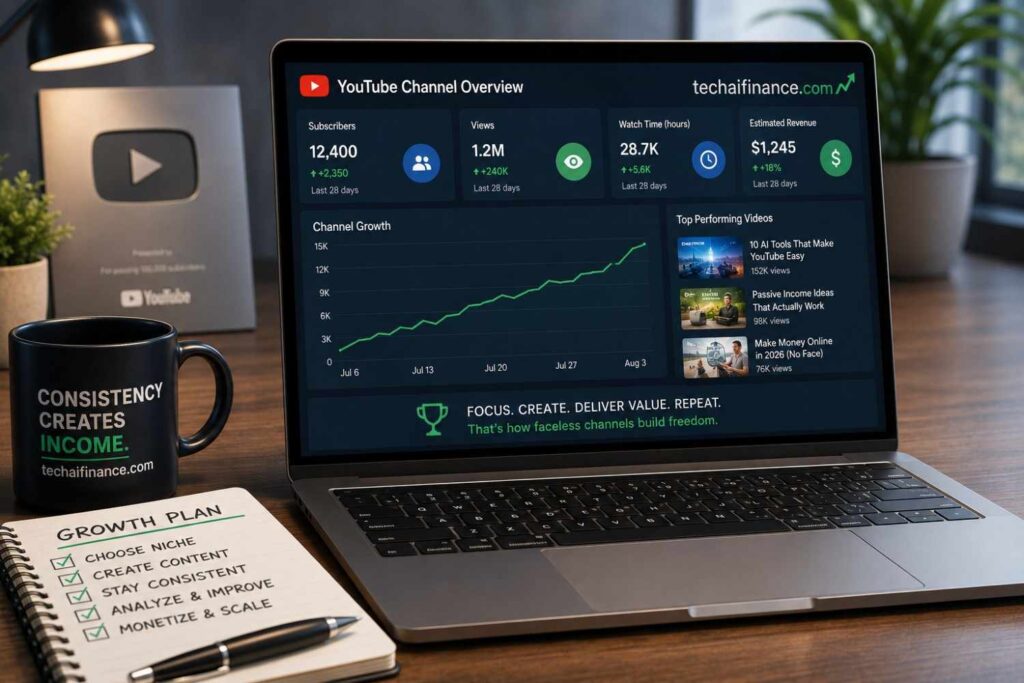
| Reaching YouTube Partner Program eligibility typically takes 6 to 12 months for a faceless channel publishing one video per week in a high-demand niche. Full monetization requires 1,000 subscribers and 4,000 public watch hours in the past 12 months for long-form content, per YouTube’s official 2026 requirements. Channels in competitive niches or with inconsistent publishing schedules often take 12 to 18 months. The expanded early access tier at 500 subscribers and 3,000 watch hours unlocks fan funding features but not full ad revenue sharing. |
| YouTube Partner Program Thresholds 2026 Early Access Tier (fan funding only): 500 subscribers + 3,000 watch hours OR 3 million Shorts views in 90 days. Unlocks Super Chat, memberships and merchandise shelf. Does not include ad revenue sharing. Full Monetization Tier (ad revenue): 1,000 subscribers + 4,000 public watch hours in 12 months for long-form. OR 1,000 subscribers + 10 million Shorts views in 90 days for short-form. Source: YouTube Partner Program official requirements 2026. Verified at support.google.com/youtube, August 2026. |
How to accelerate your path to monetization
- Publish consistently before optimizing: Your first 10 videos will underperform regardless of quality. Publish them anyway. The data from early videos shows you which topics your audience responds to, which guides the topics that will actually drive growth.
- Focus on watch time, not views: YouTube Partner Program eligibility is gated by watch hours, not video views. A 15-minute video with 500 views contributes 125 hours of watch time. A 3-minute video with 500 views contributes 25 hours. Long-form content builds watch time faster than short-form for the full monetization threshold.
- Use Shorts strategically: Shorts do not count toward the 4,000 watch hour requirement but can build subscribers quickly. A viral Short in your niche can add hundreds of subscribers who then watch your long-form content. Use Shorts to grow subscribers while long-form builds watch hours.
The Five Income Streams That Top Faceless Channels Use
How do faceless YouTube channels make money beyond ads?
| The top-earning faceless YouTube channels in 2026 use five income streams: AdSense ad revenue from the YouTube Partner Program, affiliate commissions from recommending products or services with tracked links, sponsorships from brands paying to be mentioned in videos, digital products such as courses or templates sold directly to the audience and membership programs through YouTube’s channel membership feature or Patreon. Finance channels regularly earn more from affiliate commissions on credit cards, financial software and investing apps than from AdSense alone. | |||
| Income Stream | When to Add | Finance Channel Example | Average Share of Total Revenue |
| AdSense ad revenue | After YPP approval | $12 to $25 RPM on finance content | 30 to 40% for established channels |
| Affiliate commissions | From first video | Credit card, budgeting app, investing app links | 25 to 40% for high-traffic channels |
| Brand sponsorships | After 10,000 subscribers | $500 to $5,000 per mention depending on audience | 15 to 25% for mid-size channels |
| Digital products | After 5,000 subscribers | Budgeting templates, financial courses | 10 to 20% for channels with loyal audiences |
| Channel memberships | After YPP approval | $4.99 to $24.99 per month exclusive content | 5 to 10% for engaged communities |
| 💡 Pro Tip For finance and AI channels, affiliate commissions often exceed AdSense revenue within 6 to 12 months of consistent publishing. TechAIFinance.com itself is an example of a content property in the personal finance and AI space. The same affiliate relationships available to a blog apply to a YouTube channel in the same niche. In each video, reference 2 to 3 tools or services your audience would genuinely use, link them in the description with your affiliate link and mention them naturally within the content rather than in a forced paid promotion segment. | |||
Realistic Earnings Timeline: Month 1 to Month 24
| Phase | Timeline | Output | Typical Earnings | Key Milestone |
| Foundation | Month 1 to 3 | 12 to 15 videos published | $0 | Channel setup, first 100 subscribers |
| Growth | Month 4 to 6 | 24 to 30 videos total | $0 to $50 affiliate only | Approaching YPP threshold |
| Early Monetization | Month 7 to 9 | 36 to 45 videos total | $100 to $500/month | YPP approved, AdSense active |
| Traction | Month 10 to 15 | 50 to 75 videos total | $500 to $2,000/month | Affiliate income developing |
| Established | Month 16 to 24 | 80 to 100 videos total | $2,000 to $10,000/month | Sponsorship opportunities begin |
Source: Income ranges per Korpi AI creator revenue analysis 2026 and Fluxnote channel earnings breakdown 2026. These are ranges from publicly available creator data, not guarantees. Results vary significantly by niche, consistency and content quality. Most channels earn less than these ranges.
Critical Mistakes That Get Faceless Channels Demonetized
- Using AI to produce volume without original direction: Publishing five AI-generated videos per week from the same prompt template with no original research is exactly what YouTube’s Inauthentic Content Policy targets. YouTube’s systems detect patterns of mass production. The sustainable approach is fewer, better videos with genuine human editorial input.
- Copying competitor content with AI rewording: Taking a top-performing video from a competitor channel and asking ChatGPT to rewrite it is not original content. YouTube’s content ID systems and the inauthentic content policy both apply. This approach produces demonetization risk and copyright claims simultaneously.
- Ignoring the synthetic content disclosure: If your video includes realistic AI-generated footage or AI-generated voices that could be mistaken for a real person, failure to toggle the altered or synthetic content disclosure in YouTube Studio can result in automatic demotion even if your content is otherwise original.
- Choosing a high-competition niche without a specific angle: Starting a generic personal finance channel in 2026 against channels with years of content and millions of subscribers is a very slow path. Starting a personal finance channel specifically for nurses, teachers, gig workers or recent graduates creates a specific audience that legacy channels do not own.
- Giving up between months 3 and 6: The period between month 3 and month 6 is when most faceless channels quit. Views are low, subscribers are not growing fast enough and the work feels unrewarding. This period is completely normal. The channels that publish through this phase reach monetization. The ones that stop do not.
| 💡 Real-World Example Consider two hypothetical Americans who both started a personal finance faceless YouTube channel in the same month in early 2026. Diana is 34 and lives in Raleigh, North Carolina. She chose a specific sub-niche: personal finance for nurses and healthcare workers. Her first video was ‘How Nurses Can Build an Emergency Fund on an Irregular Schedule.’ She spent 45 minutes researching nursing-specific financial content before scripting. Every video was built around a real financial challenge nurses face. She published one video per week using ChatGPT for scripting, ElevenLabs for voiceover and CapCut for editing. By month 4 her videos were getting 1,500 to 3,000 views because they appeared in YouTube search results for queries that mainstream finance channels were not specifically targeting. She reached 1,000 subscribers and 4,000 watch hours in month 7 and was approved for YPP. By month 12 she was earning $800 to $1,200 per month from AdSense and affiliate commissions on budgeting apps she recommended to her nurse audience. Marcus is 31 and lives in Phoenix, Arizona. He chose the general personal finance niche. His channel name was Finance Tips USA. He published three AI-generated videos per week using the same prompt template. By month 3 YouTube flagged his channel under the Inauthentic Content Policy. His videos had generated 50 to 100 views each but no sustained watch time since the content was generic and indistinguishable from dozens of other channels covering the same topics in the same way. He appealed the flag and continued but reduced to one video per week with original research. By month 9 he had not reached YPP eligibility. He changed his focus to finance for first-generation college graduates, a specific audience. Views improved immediately. He reached YPP eligibility in month 14. Both put in significant work. Diana’s specific niche and original editorial direction produced faster results with no policy risk. Marcus’s early efficiency focus cost him 7 months of growth recovery. These examples are illustrative. Actual results depend on individual niche selection, content quality, consistency and platform policy compliance. Income is not guaranteed. |
Frequently Asked Questions
Do I need to show my face on a YouTube channel to make money?
No. Faceless channels account for 38 percent of all new creator monetization ventures in 2026, per AutoFaceless industry data. YouTube’s algorithm distributes content based on engagement metrics including watch time, click-through rate and session starts, not based on whether a creator appears on camera. Many of YouTube’s highest-earning channels have never shown a creator’s face.
How much does it cost to start a faceless YouTube channel?
Starting a faceless YouTube channel with AI tools costs $0 using entirely free tiers of available tools. The free versions of ChatGPT, ElevenLabs at 10,000 characters per month, CapCut, Canva and TubeBuddy are sufficient for producing and publishing your first 20 videos. A paid tool stack covering all categories runs $50 to $85 per month. YouTube channel creation is free. There are no required paid subscriptions to create or publish content.
Is it too late to start a faceless YouTube channel in 2026?
No. The data argues the opposite. Faceless channels are growing at 217 percent over three years because AI tools are making the model accessible to creators who could never have produced video content previously. More importantly, specific sub-niche opportunities in personal finance, technology and education remain underserved despite overall platform growth. A channel serving a specific audience with genuinely useful content competes against relatively few others regardless of the total number of channels on the platform.
How does YouTube know if my channel is AI-generated?
YouTube’s detection systems in 2026 assess patterns across a channel’s content rather than individual videos. The signals that trigger inauthentic content review include identical production patterns across many videos, very high publishing volume with very low watch time, identical script structures across videos and content that closely mirrors existing videos without adding original perspective. A channel that uses AI tools but publishes thoughtfully, varies its content approach and demonstrates genuine editorial judgment is indistinguishable from a human-produced channel in every way that matters to YouTube’s systems.
Can I start a personal finance faceless YouTube channel even if I am not a licensed financial advisor?
Yes, with the appropriate disclaimers. YouTube’s content policies do not require creators in the personal finance niche to be licensed professionals. However, YouTube applies more scrutiny to finance content under its Your Money Your Life content guidelines, and you must not make specific investment recommendations or claim professional expertise you do not have. Adding a visible disclaimer to your channel page and in your video descriptions stating that content is for educational purposes only and not financial advice is both a YouTube recommendation and a legal protection. Review YouTube’s YMYL content guidelines at support.google.com/youtube before publishing in this niche.
| ⭐ Key Takeaway A faceless YouTube channel built around a specific audience with genuine original content and AI-assisted production is one of the most accessible income-building opportunities available to Americans in 2026. The AI tools handle the production. Your editorial judgment handles the strategy. What YouTube rewards and what audiences return to is not the quality of the AI voice or the polish of the editing. It is whether the video is genuinely useful to a specific person who searched for that exact topic. Choose a specific niche. Publish one original video per week for 12 months. Comply with YouTube’s AI disclosure requirements. The channels that do these three things reach monetization. The majority that do not are the ones that chased production volume over editorial quality. |
Conclusion
The mechanics of starting a faceless YouTube channel with AI in 2026 are genuinely accessible to any American with a laptop and an internet connection. The tools are free to start. The platform is free. The distribution is organic. What is not guaranteed and what no tool or guide can provide is the consistency and editorial judgment that separates channels that earn from the majority that do not.
For Americans building multiple income streams alongside a YouTube channel, our guide on how to use AI to get out of debt faster in the US 2026 covers how to apply AI tools to your personal finances while you build the channel. For a broader overview of high-income skills that pair well with content creation, our guide on best freelance skills that pay well in America 2026 covers the professional capabilities that command the highest affiliate commissions and sponsorship rates in the niches where faceless channels earn the most.
| 📲 Share This Guide If this guide gave you a clear path to starting your first faceless YouTube channel, share it with someone who has been saying they want to start a channel but has not yet. Share on WhatsApp, Facebook or by text message. Thank you for reading TechAIFinance.com. |
Read Next
Continue building your knowledge on TechAIFinance.com:
- Best Freelance Skills That Pay Well in America 2026
- How to Use AI to Get Out of Debt Faster in the US 2026
- ChatGPT vs Perplexity in 2026: Which AI Tool Is Right for Americans?
- ChatGPT vs Microsoft Copilot in 2026: Which Should Americans Use?
- Sinking Funds Explained: The Budgeting Strategy Every American Should Know
| ✍ About the Author Written by: TechAIFinance Editorial Team Edited and Fact-Checked by: Olayinka Adejugbe Olayinka Adejugbe is not a licensed financial advisor. The content on TechAIFinance.com is produced for educational purposes only and should not be treated as personalized financial advice. Olayinka is the founder and lead editor of TechAIFinance.com. He holds a Global Certification in Artificial Intelligence and Applied Innovation and an Award of Completion in Behavioral Counseling from the World Health Organization. With a strong working knowledge of personal finance and accounting principles, Olayinka oversees the editorial review of every article on this site to ensure accuracy, currency and practical usefulness. Every article on TechAIFinance.com is produced by our research team and reviewed by Olayinka before publication. We verify statistics against named authoritative sources and update content when circumstances change. Visit our About page to learn more about our editorial process. Use our Contact page to get in touch. |
Disclaimer & Content Note
The information provided on TechAIFinance.com—including content on personal finance, side hustles, AI tools, and tech reviews is for educational and informational purposes only and does not constitute professional financial, legal, tax, or technical advice. Financial outcomes, business earnings, and tech performance vary based on individual circumstances and market conditions. TechAIFinance.com makes no guarantees regarding results or tool performance. Always consult a qualified professional before making major financial, business, or tech purchasing decisions. Free certified credit counseling is available through the National Foundation for Credit Counseling at nfcc.org.